


- Date:
- Author:
- Kristen Pol
The second release candidate (RC 2) of Drupal AI Context, also known as Context Control Center (CCC), is now available.
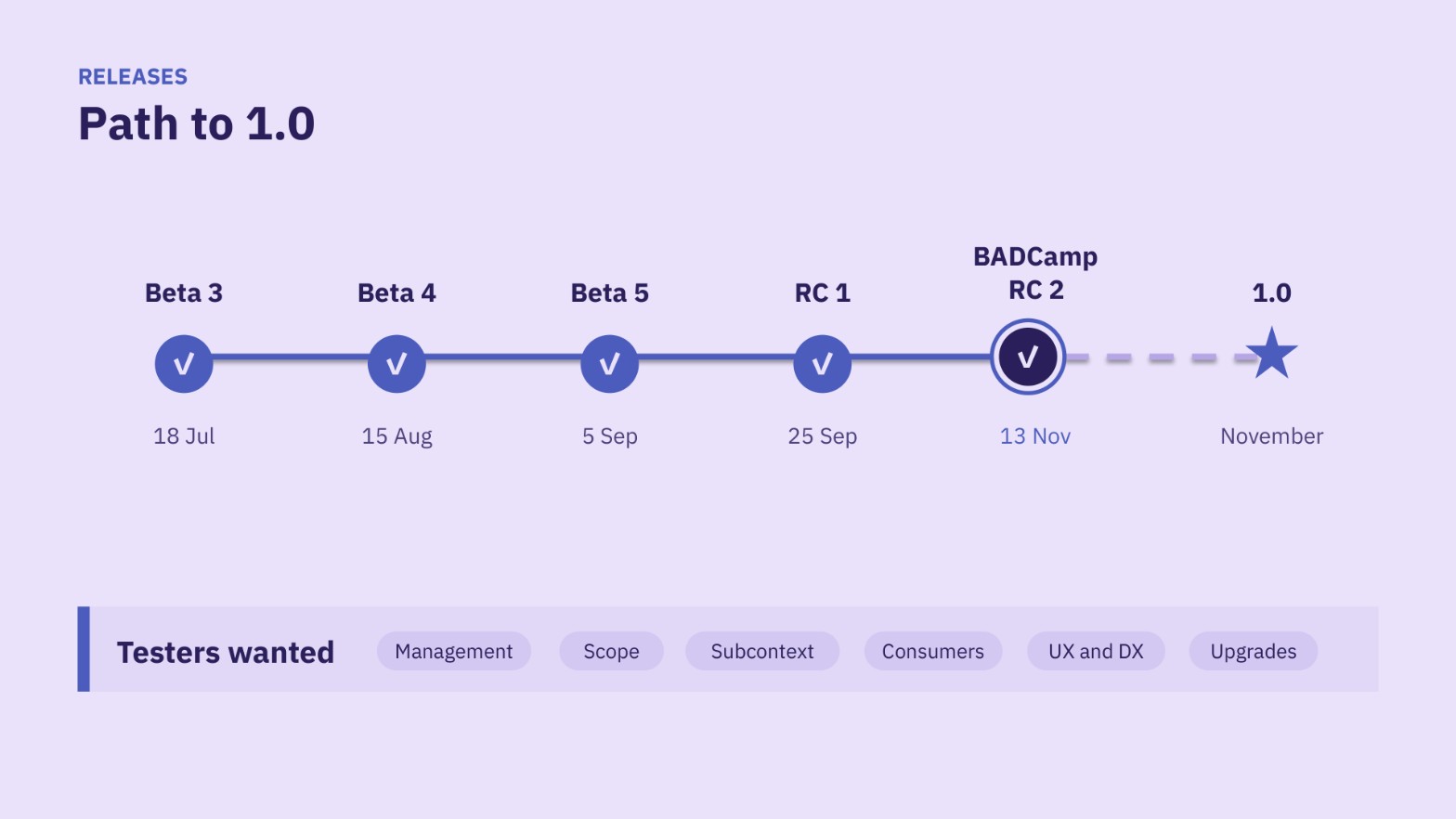
This one came with a bit of theatre. I tagged RC 2 live, during my CCC session at BADCamp in Oakland, California, on Friday 13 November 2026.
We hope RC 2 will be the last release candidate before 1.0. The team is working through QA and bug fixes right now, and if no release-blocking problems turn up, the next tag will be CCC 1.0.0.
CCC helps Drupal sites provide governed, reusable context to AI-powered features, from brand voice and editorial standards to organisational knowledge, governance rules and other information that AI systems need to work effectively.
With RC 1, the focus shifted from adding capabilities to making them work reliably together. RC 2 takes that a step further. It asks a harder question: is CCC ready to be trusted with real content, on real sites, in production?
What RC 2 means for Context Control Center
A second release candidate might sound like a small step. This one isn’t.
Once CCC reaches 1.0, it gains security advisory coverage, and its public APIs follow a deprecation policy. That makes the time before 1.0 the right time to look hard at anything that affects security, privacy or the shape of those APIs, because afterwards those things become much harder to change.
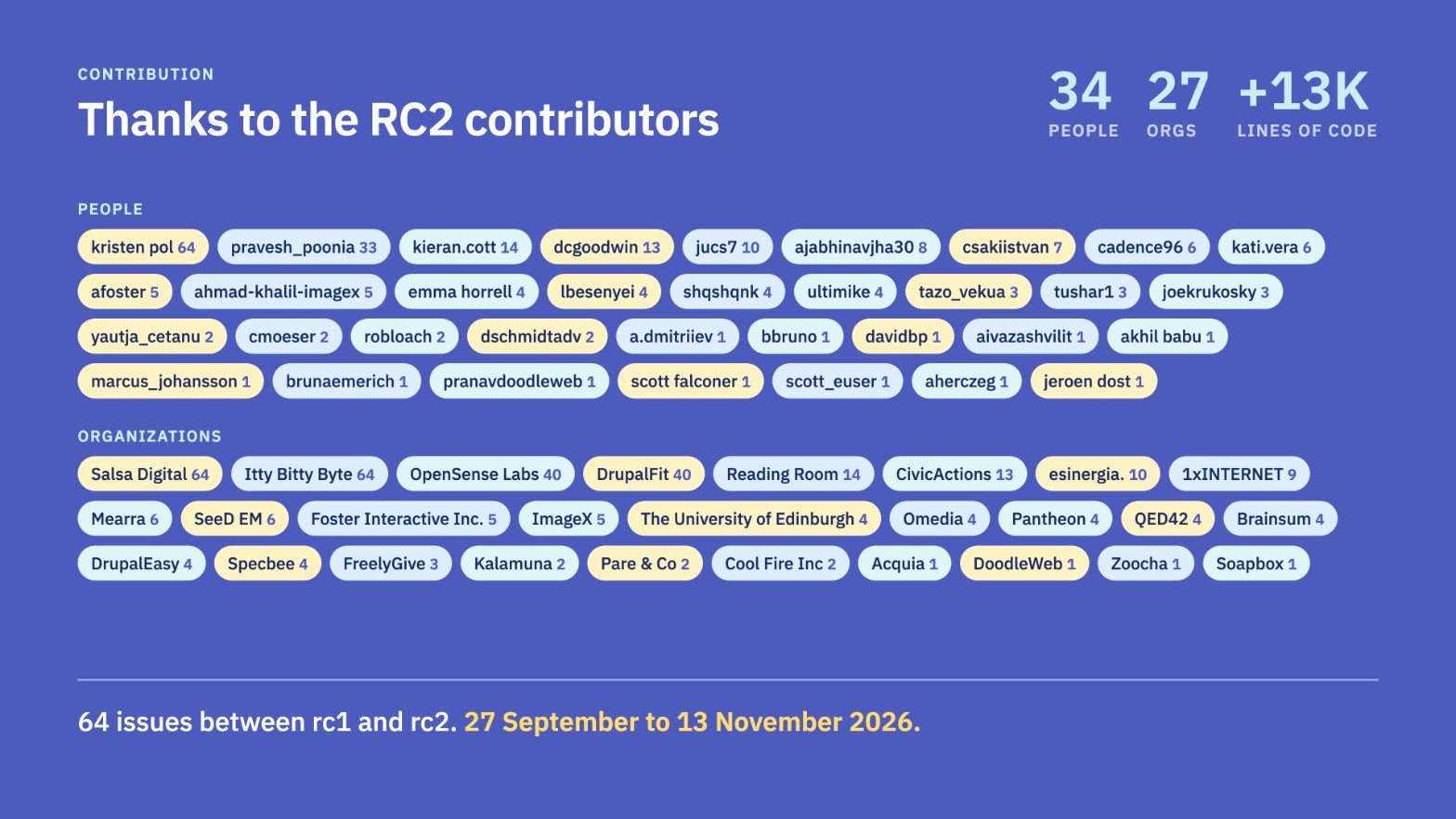
So before RC 2, we carried out a full security and bug review of the module, alongside the fixes that came out of RC 1 QA. The result is a release with work from 64 issues, from 34 contributors across 27 organisations, concentrated across the following four areas:
- Security and privacy
- Context selection and token budgets
- Administration and accessibility
- Upgrades and developer experience
RC 2 also gives QA a fixed build to test everything that has changed since RC 1.
Security and privacy
The most important work in RC 2 is work that, ideally, nobody will ever notice.
Context items often hold exactly the kind of information that organisations care most about: brand rules, policies, facts and internal guidance. The review focused on one question: can context reach an AI provider, or a person, when it shouldn’t?
RC 2 closes the paths we found.
Only published, permitted context reaches AI:
- Only published translations are sent to AI.
- Subcontext children need view access and must pass their own scope.
- The Entity Types scope needs view access to the content.
No data leaks through tokens or APIs:
- Tokens such as
[user:mail]no longer send personal data to AI. - JSON:API no longer exposes context items and usage records.
Restricted and unpublished items stay protected:
- View any unpublished content no longer shows unpublished items.
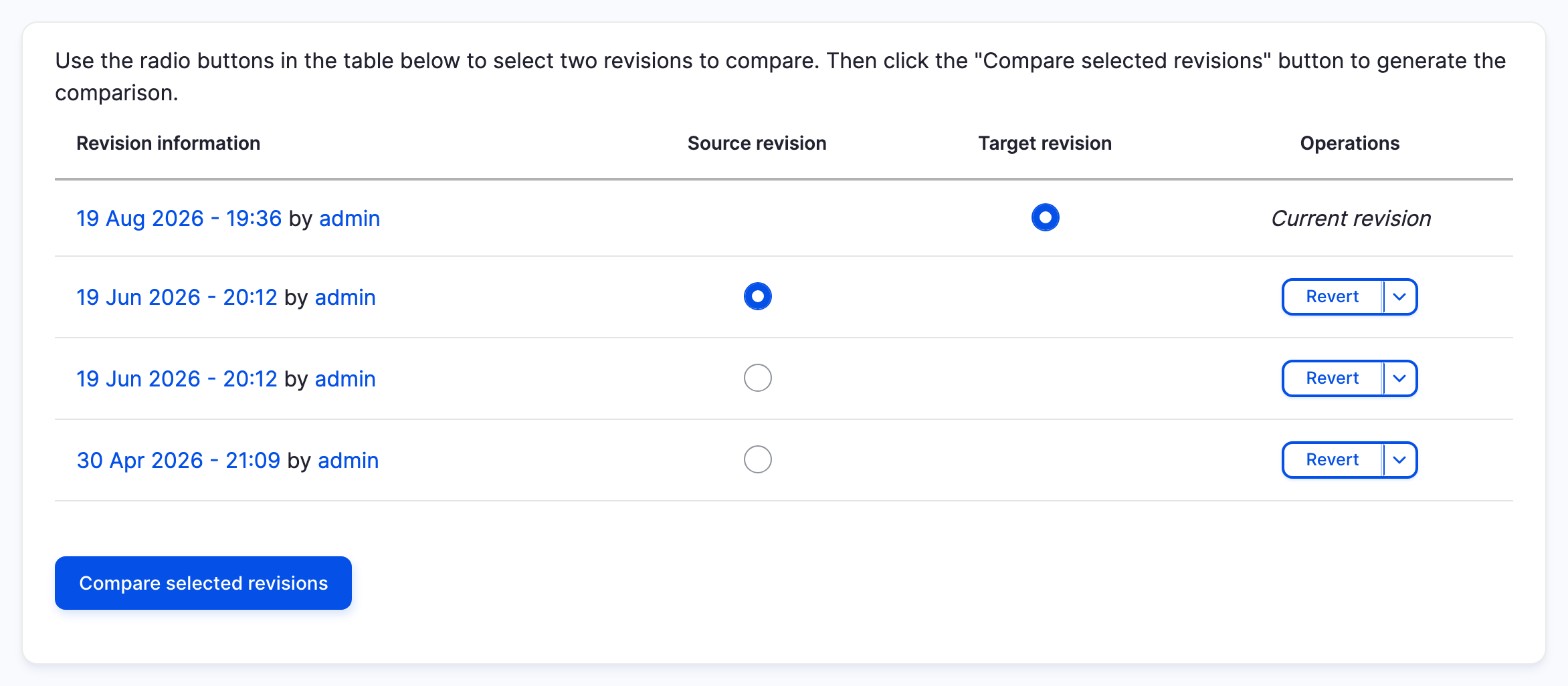
- Revision Diff pages need the revisions permission.
- Duplicate always saves a draft copy.
- Scope cleanup unpublishes items that lose a restricting scope.
- Dynamic Entity Reference cannot be uninstalled while in use.
Some of these changes are visible. For example, if you remove the only role that restricted a context item, CCC now unpublishes that item and tells you why, instead of quietly making it available to everyone.
None of this is flashy, but it is what makes it possible to trust CCC with your organisation’s real knowledge. That trust is the whole point of a governed context library.
Context selection and token budgets
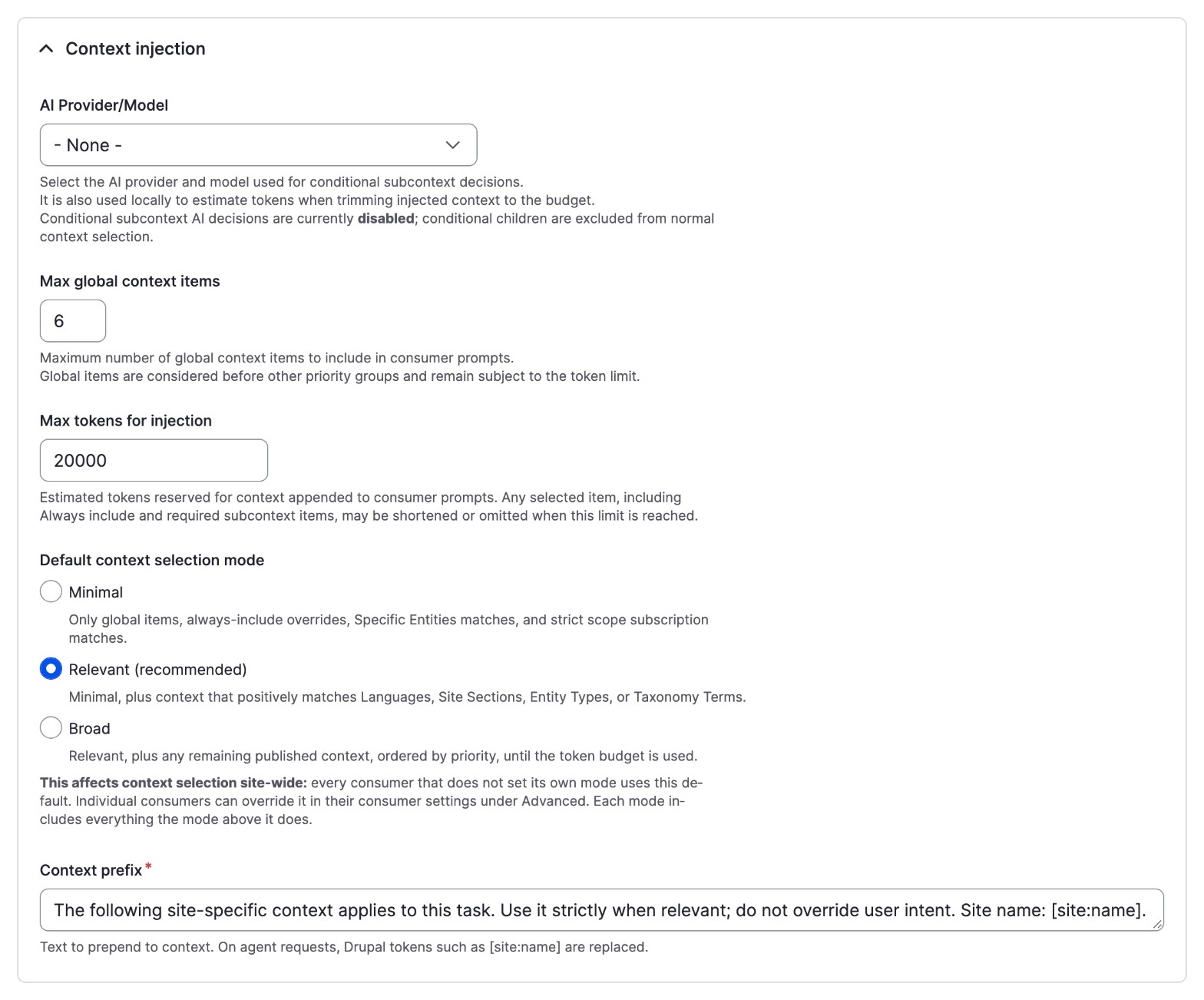
RC 2 continues to refine how much context is delivered, and how accurately CCC reports it.
New sites now start with a default token budget of 20,000 tokens, which gives a context library more room to be useful from the first day. Existing sites keep the budget they already have.
Token counts are also more accurate. They now include the rendered header of each item, and an update recounts the stored token counts for you. Usage records now list only the items that the token budget actually delivered, so what you see in usage tracking is what the AI received.
Together, these changes make context behaviour easier to predict, and easier to explain when someone asks “what did the AI actually know?”
Administration and accessibility
RC 2 includes a collection of improvements that make CCC easier to use for everyone, including people who use assistive technology.
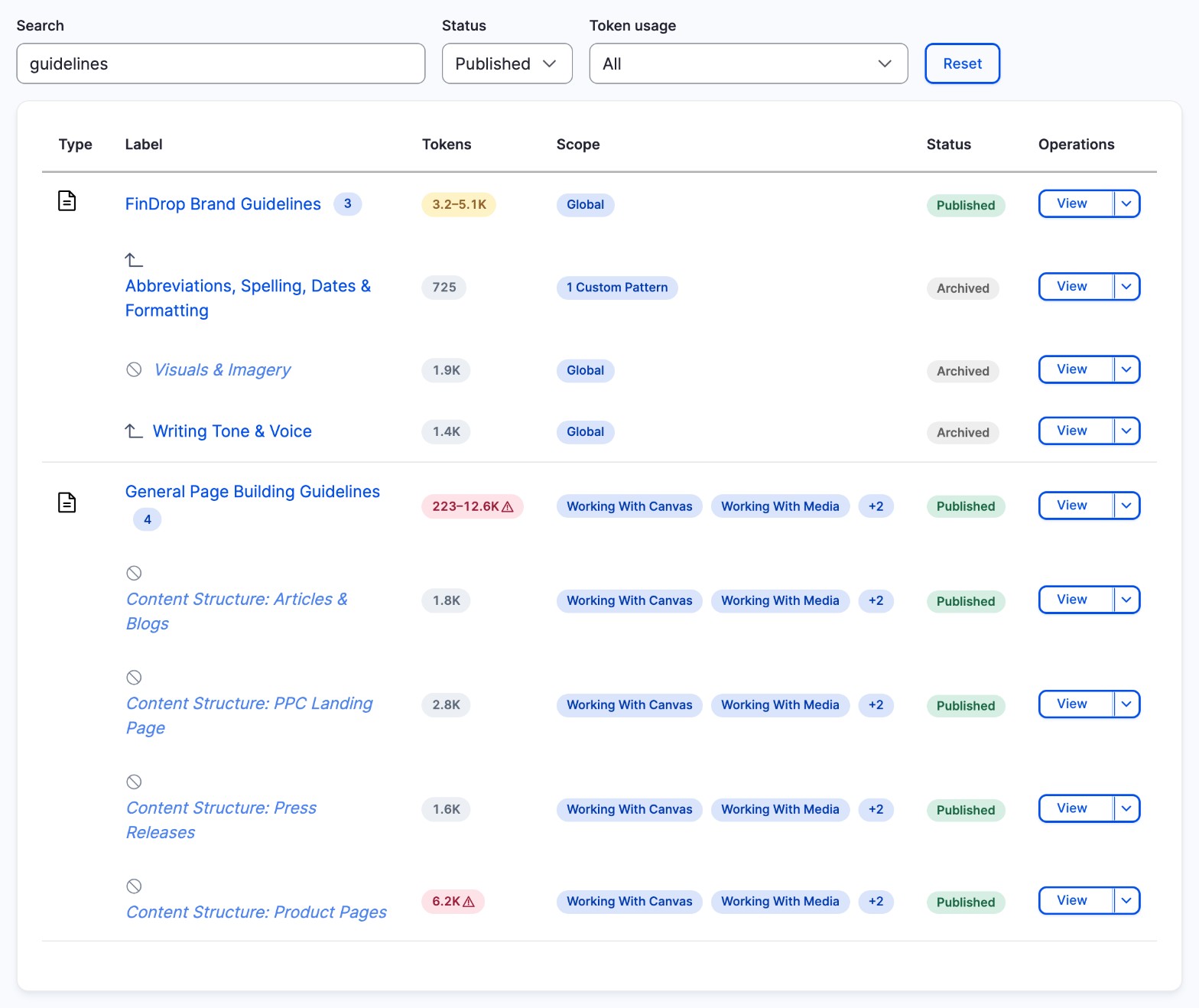
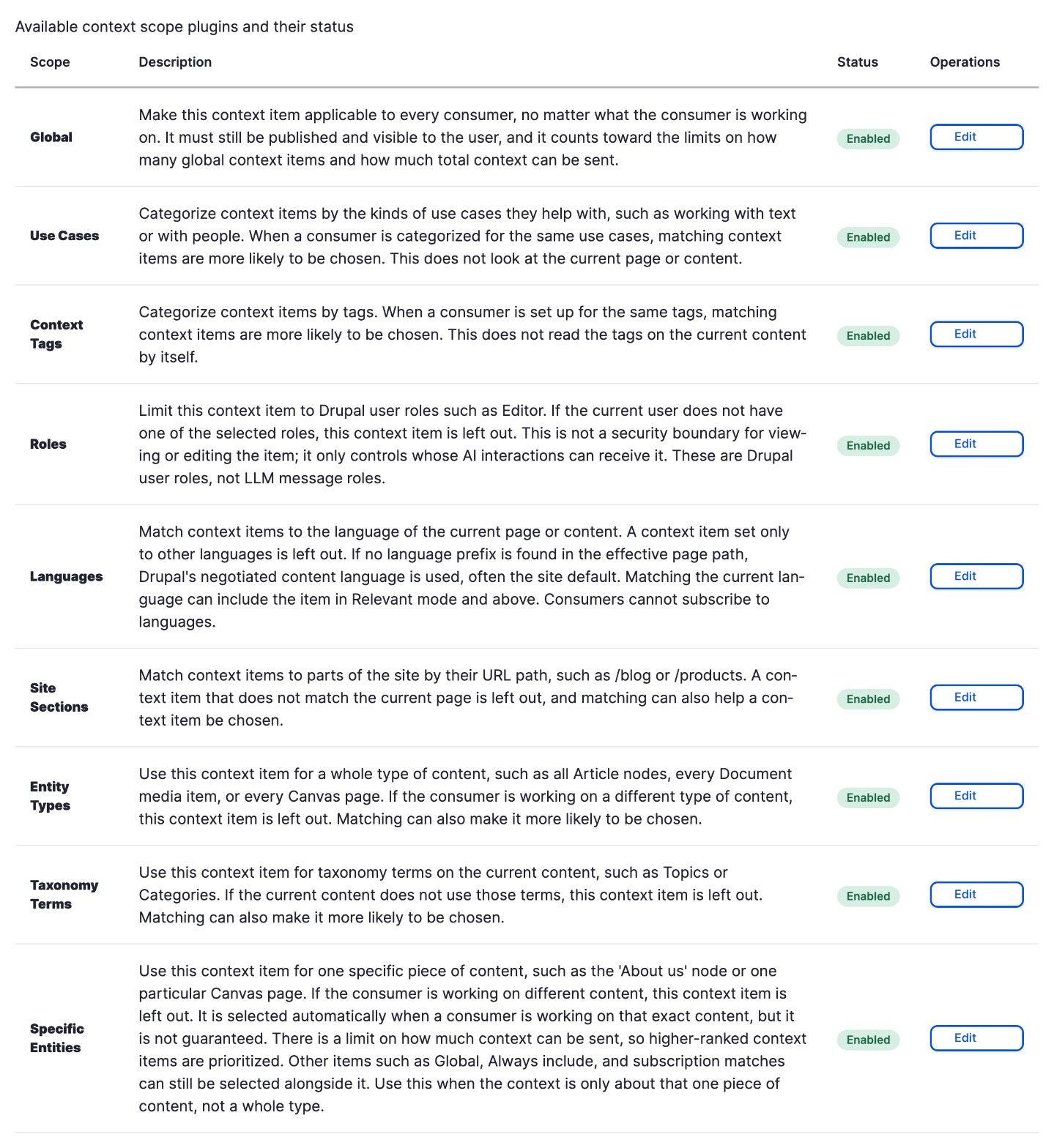
The Context items and Consumers listings now open with sensible default filters, so you see published items and consumers with automatic push first. A Reset button takes you back to those defaults after a search.
Other improvements include:
- Edit links in the scope settings name their scope
- Status badges keep their contrast on a hovered row
- A new setting adds CCC to the main admin menu
- Consumer overrides are kept when a module is uninstalled
The first two are accessibility fixes from the RC 1 QA, measured against the Web Content Accessibility Guidelines (WCAG). The third is for editors: they no longer have to find Context Control Center under Configuration.
These are individually small changes, but they add up to an interface that more people can use comfortably, every day.
Upgrades and developer experience
RC 2 has more upgrade notes than earlier releases. That is a direct result of the security review: when access rules become stricter, some sites need to check their permissions.
Please read the upgrade notes before you update, and test the update on a copy of your site first. In short:
- Update
drupal/aito a supported version - Run
drush updatedb, thendrush cr - Check roles that read drafts, compare revisions or duplicate
- Check custom code that uses the selection API or JSON:API
For developers, there are a few changes to know about:
- The Load tool has a new ID, and the old ID is deprecated
- The
entity_contextkeys are now public API - The selection API returns text with neutralised tokens
CCC requires drupal/ai 1.4.11 or later, or 1.5.2 or later.
The release notes also list the known issues and their workarounds, so you know what to expect before you start.
From RC 1 to 1.0
RC 2 is the build that we are testing for 1.0.
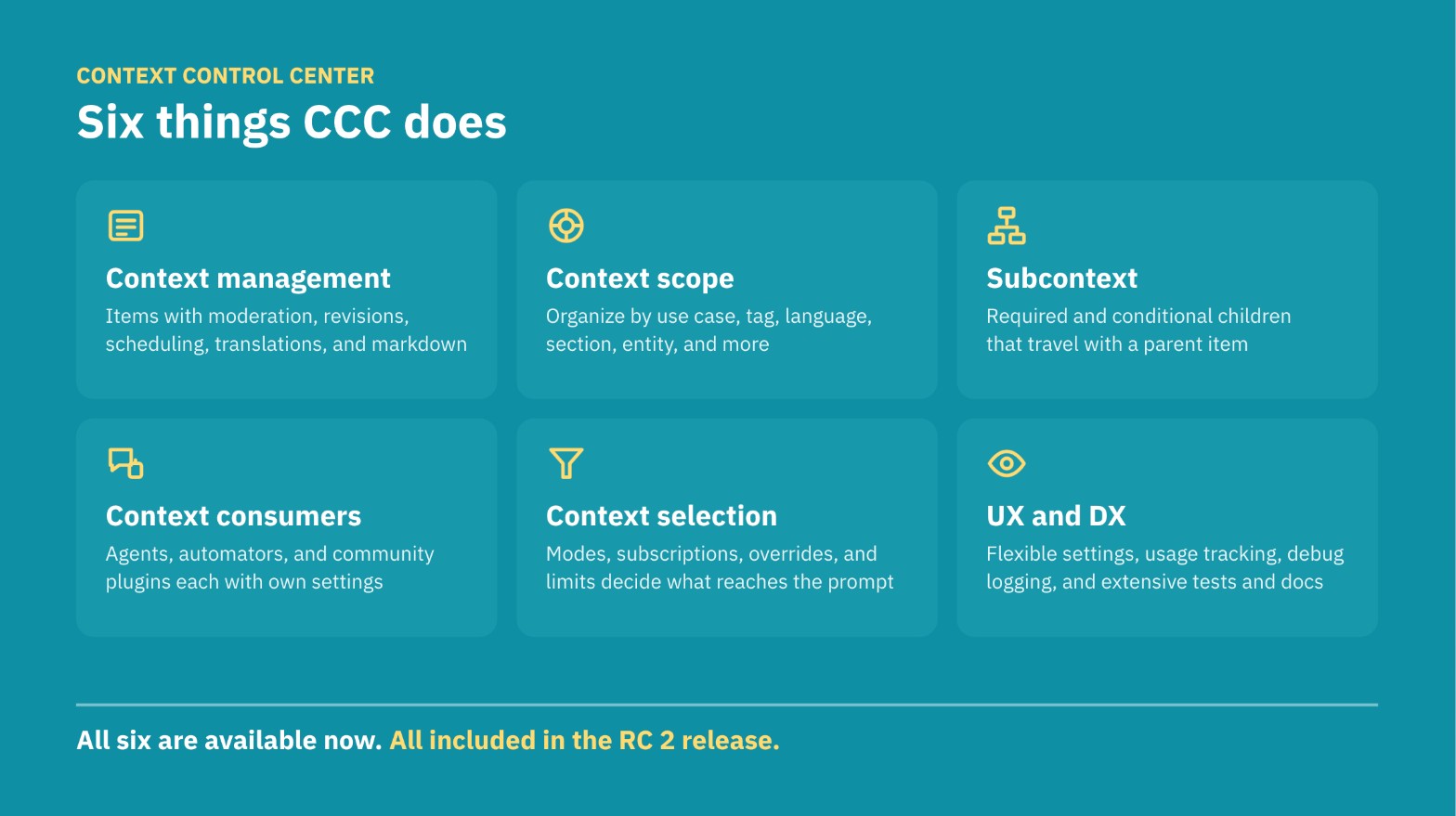
Over the beta cycle, CCC grew from context management for AI agents into a broader context layer for Drupal AI. The release candidates have been about making that layer dependable. What you get in 1.0 comes down to six things:
- Context management: moderation, revisions, scheduling, translations
- Context scope: use case, tag, language, section, entity, and more
- Subcontext: required and conditional child items
- Context consumers: agents, Automators and community plugins
- Context selection: modes, subscriptions, overrides and limits
- UX and DX: usage tracking, debug logging, tests and docs
Community integrations
In the RC 1 post, I wrote that the AI CKEditor integration was released and that AI Translate and AI Validations were in review. A lot has happened since then.
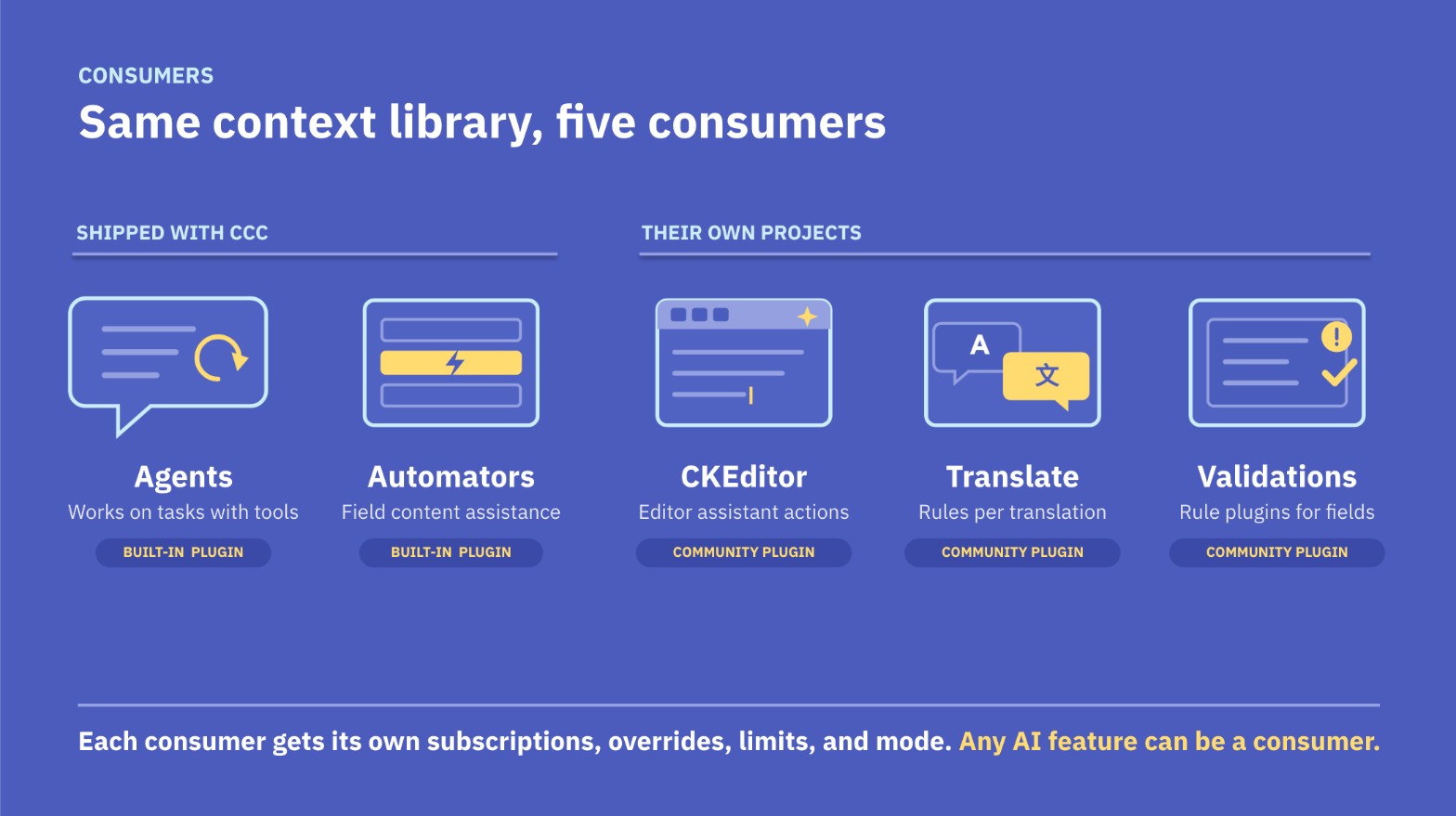
One context library now serves five kinds of AI features, which we call consumers: AI agents, AI Automators, AI CKEditor, AI Validations and AI Translate.
AI CKEditor
The AI CKEditor integration has been available since 1.5.0-beta2, and the module has now reached 1.5.0-beta5.
Guidance managed in CCC is applied to AI-assisted editing, right where editors do their work, without duplicating it in individual CKEditor prompts.
AI Validations
The AI Validations integration is available now, in 1.4.0.
With AI Context installed, text, image and audio validation rules can receive site context such as style guides and policies. Site builders no longer have to copy the same guidance into every validation prompt.
AI Translate
The AI Translate integration has been merged, and it will be in the next AI Translate release.
Translation workflows will be able to receive the same centrally-managed context as other consumers. This could include glossaries, do-not-translate terminology or other instructions that should stay consistent across translated content.
Together, these integrations show the direction we hoped for when we introduced consumers in beta 5: context is managed once, and then made available to every Drupal AI feature that needs it. A big thank you to the maintainers and contributors of these modules for building on CCC.
Try CCC in the Drupal AI demo
If you haven’t tried CCC yet, you no longer need a local site to do it.
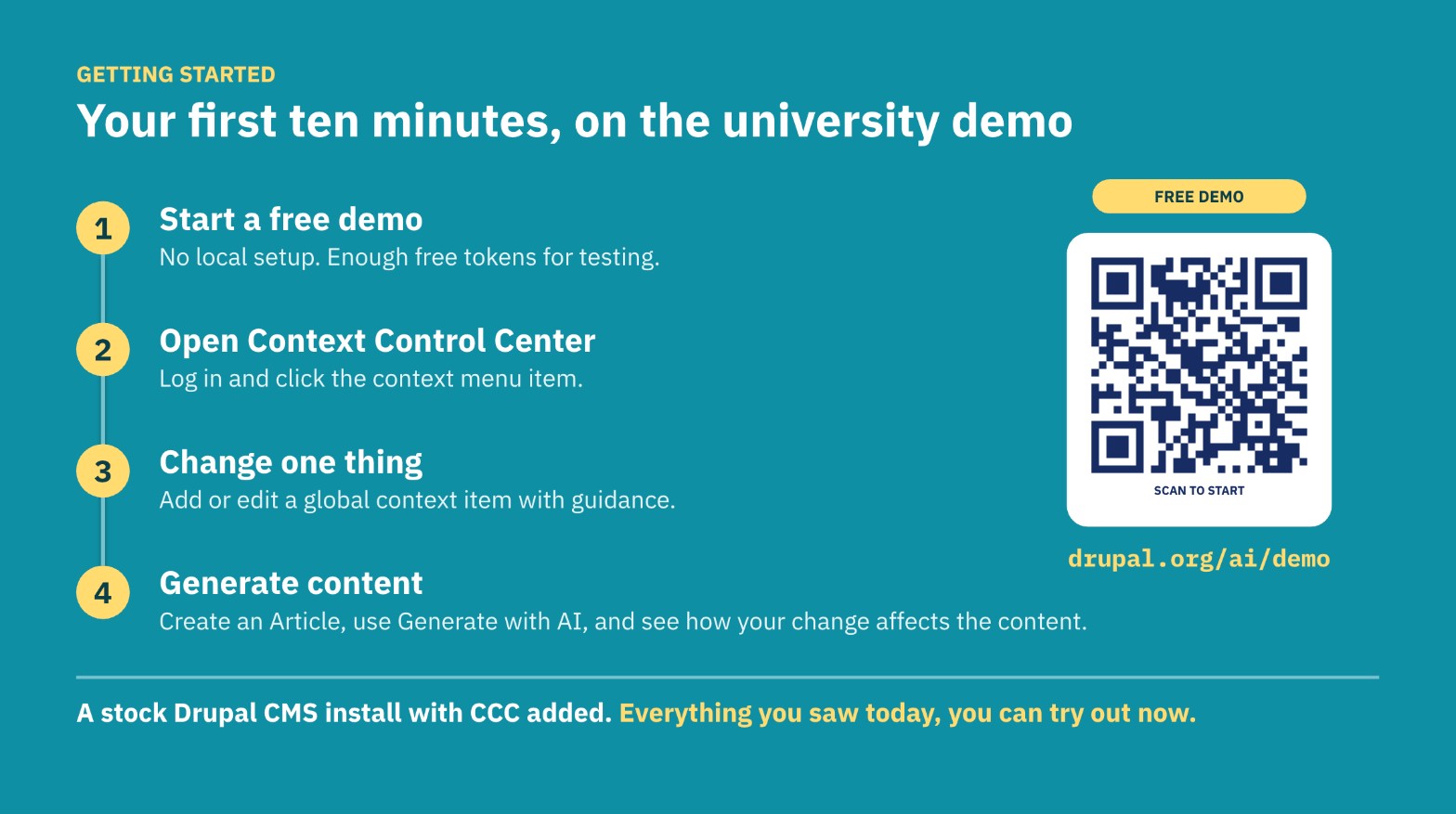
The Drupal AI demo, released at DrupalCon Rotterdam, includes CCC. It’s a site for a fictional university, built on Drupal CMS, and you can log in as an administrator to see how the context items, scopes and consumers are configured.
To try it in about 10 minutes:
- Start a free demo at drupal.org/ai/demo.
- Log in and open Context Control Center.
- Add or edit a global context item.
- Generate an Article with AI and look at the result.
We’ll share more about the demo, along with the CCC sessions and recordings from this year’s events, in a follow-up post.

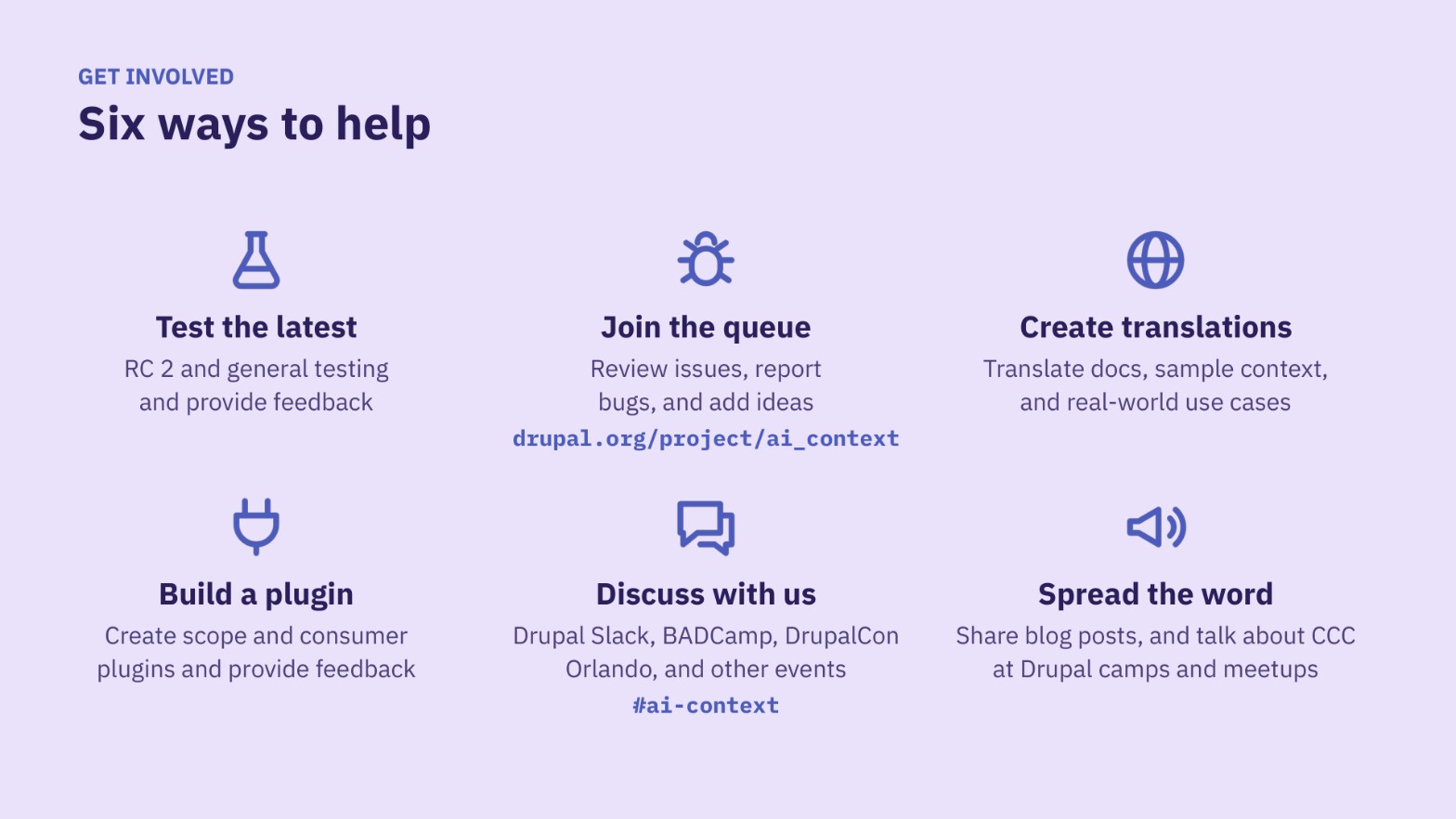
Help test RC 2
Community testing matters more now than at any other point in the release cycle. What you find in RC 2 decides how good 1.0 will be.
If you’re already using an earlier version of CCC, upgrading to RC 2 on a test copy of your site, and checking your existing configuration, can uncover issues that only appear on real-world sites.
Testing is especially useful around:
- The upgrade from RC 1, with the upgrade notes
- Permissions for editors, translators and reviewers
- Translations and subcontext items
- AI agents and AI Automators that use context
- Custom code that uses the selection API
We’d also love testing with the community integrations. If you use AI CKEditor or AI Validations, try applying centrally-managed CCC context to real editorial workflows, and check that the expected context is selected.
Full technical details are available in the 1.0.0-rc2 release notes. As always, issues and feedback can be submitted through the AI Context issue queue.
What’s next: context for agents outside Drupal
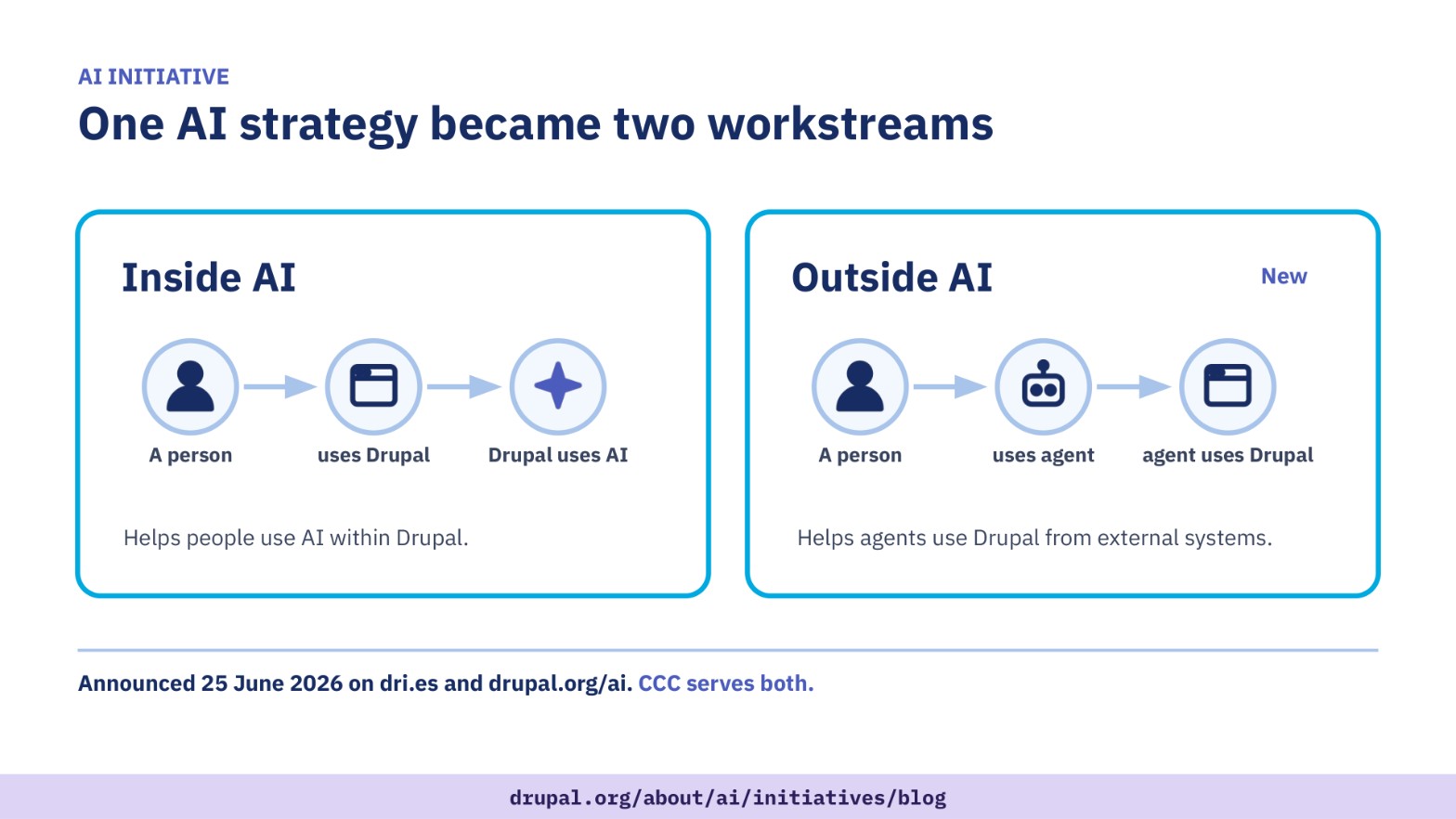
The work doesn’t stop at 1.0. In June 2026, the Drupal AI Initiative organised its strategy into two workstreams:
- Inside AI, where a person uses Drupal and Drupal uses AI
- Outside AI, where a person uses an AI agent and the agent uses Drupal
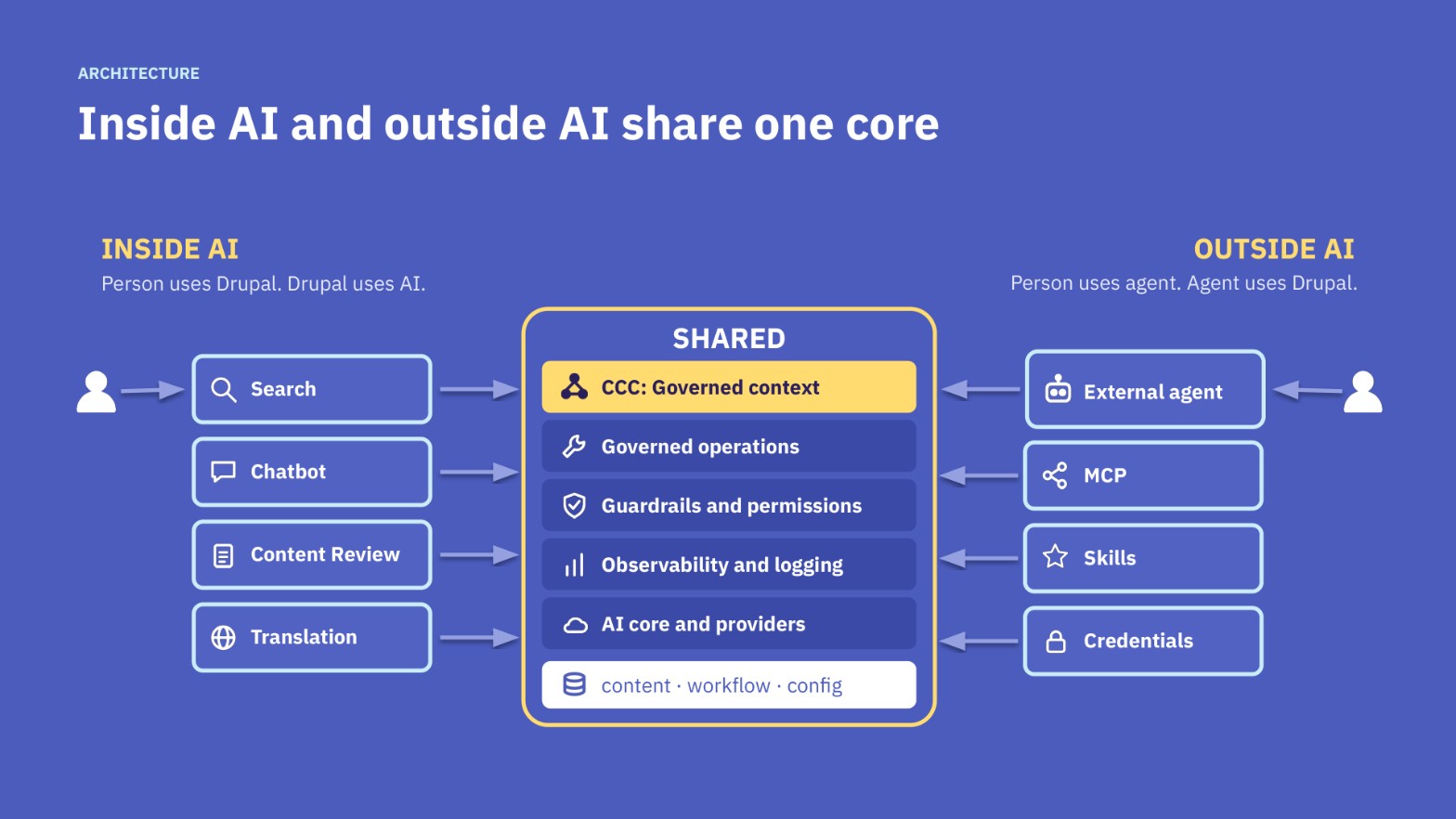
Up to now, CCC has focused on Inside AI. For DrupalCon Orlando 2027, we’re working on Outside AI: giving approved context to AI agents outside the site, such as Claude Code, Cursor, other coding agents and MCP clients.
For the past few weeks, this work has been running in parallel with getting 1.0.0 ready for release. So far that means plans, research and prototypes, and the first implementation issues are now underway.
The principle is that the site stays in control. The site decides which context items are shared outside the site, who can read them, and with which limits. External agents get context from the same library that the AI features on the site use.
The work has three parts:
- Tool API: read-only CCC tools for Drush, ECA and AI agents
- MCP: CCC tools and session instructions for MCP clients
- Agent hooks: context for coding agents when a session starts
All outside access will be off by default, and only published items will be returned.
A special thank you to Ahmad Khalil, who has been doing the heavy lifting on the Outside AI research, and finding and reporting issues in the upstream modules that this work depends on.
You can follow along, and join the discussion, in the Outside AI roadmap issue and its child issues.
Thanks to the contributors
Reaching a second release candidate, with a full security review behind it, has taken a remarkable community effort.
RC 2 includes contributions across development, security review, testing, QA, accessibility, documentation, UX and release coordination, from 34 contributors and 27 organisations throughout the Drupal community. Thank you to everyone who has tested CCC, reported issues, contributed code, reviewed changes, improved documentation or helped shape the project through feedback.
A special thanks to:
- The top 10 contributors for this release: Kristen Pol, Pravesh Poonia, Kieran Cott, Dan Goodwin, Juan Correa, Abhinav Jha, István Csáki, Ricardo Castañeda, Kati Vera and Aidan Foster.
- Ahmad Khalil for leading the Outside AI research.
-
Marcus Johansson and Abhisek Mazumdar for building, reviewing and merging the AI Validations integration.
-
Sven Decabooter and Levente Besenyei for their work, reviews and merge of the AI Translate integration.
-
Dan Goodwin and Pravesh Poonia for their work and testing on the AI CKEditor integration.
- Everyone at BADCamp who joined my session and watched me tag the release live.
The complete contributor list and the issue breakdown are available in the RC 2 release notes and the RC 2 milestone.
Next stop: 1.0
RC 2 brings Context Control Center to the last step before its first stable release.
We’ll use this release candidate period to finish QA, fix any release-blocking issues that emerge and prepare CCC 1.0.0.
At the same time, the integrations with AI CKEditor, AI Validations and AI Translate show that the consumer ecosystem is growing, and the Outside AI work shows where CCC goes next: one source of truth for context, for the AI inside your site and the agents outside it. After more than a year of building, testing and refining how Drupal manages context for AI, 1.0 is now within reach. We welcome your testing and feedback to help us get it over the line.
About AI Context
Drupal AI Context, also known as Context Control Center, is a Drupal module for providing governed, reusable context to AI-powered workflows and agents.
CCC allows organisations to centrally manage information such as brand voice, editorial standards, governance rules, product information and organisational knowledge so AI systems can produce more consistent, accurate and trustworthy outputs.
The project supports scoped context, subcontexts, moderation workflows, multilingual content, usage tracking, document imports and integrations with the broader Drupal AI ecosystem.