

Summary: Beta 5 of Drupal AI Context opens the Context Control Center to more than AI agents. It has a new consumer system that also serves AI automators, a redesigned Minimal/Relevant/Broad context selection ladder, a new Roles scope plugin, ready-made sample context items, and a large set of upgrade, reliability and documentation improvements.

- Date:
- Author:
- Kristen Pol
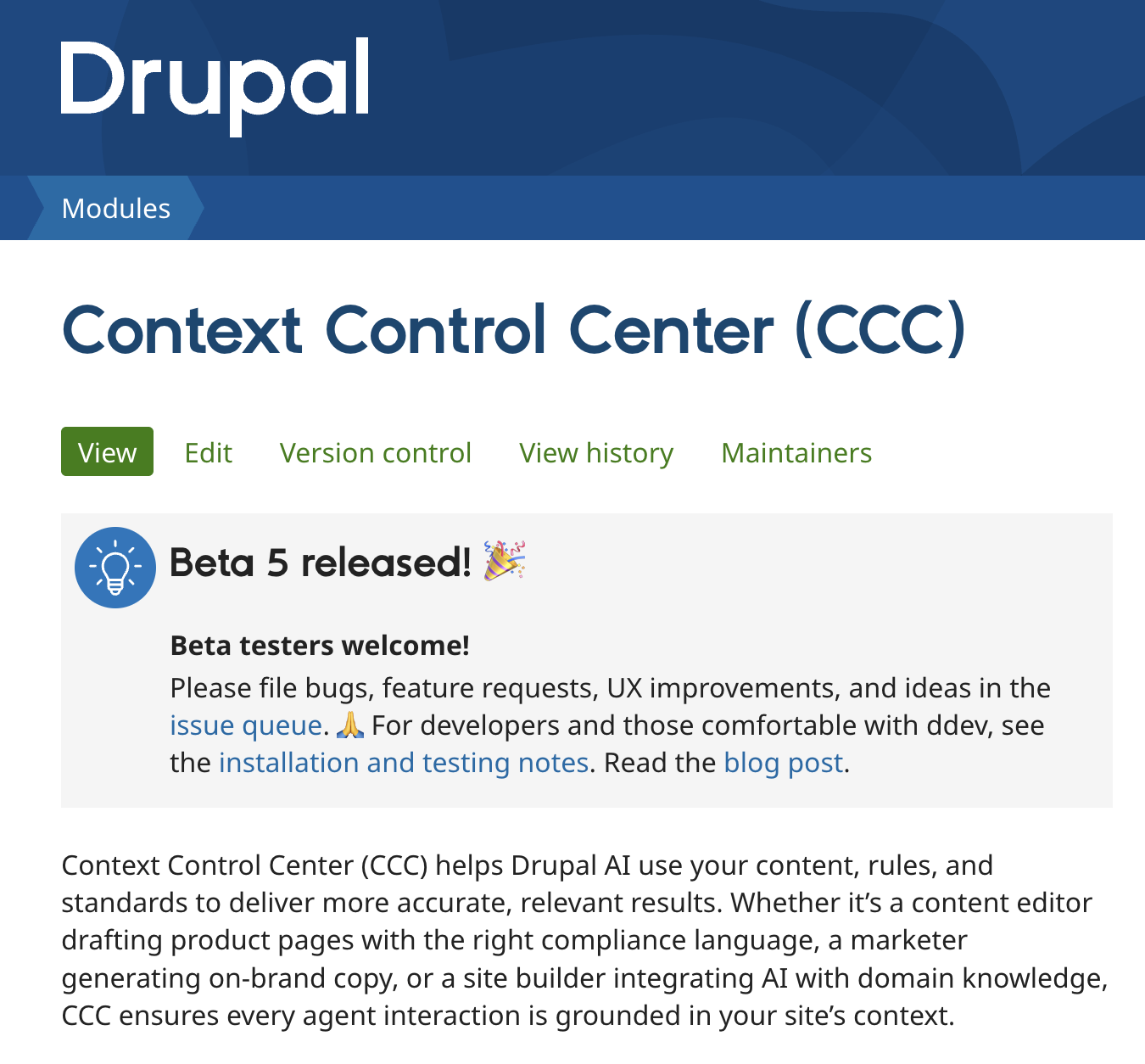
Beta 5 release of Drupal AI Context
Beta 5 of Drupal AI Context, also known as Context Control Center (CCC), is now available. This is expected to be the final beta release, and an RC 1 release should be available soon.
CCC helps Drupal sites provide governed, reusable context for AI workflows and agents, from brand voice and editorial standards to organisational knowledge and governance rules. This gives AI systems access to more structured and relevant information while allowing teams to manage that information centrally.
Following the beta 4 release, beta 5 has been shaped by extensive community testing and an expanded scope. The community testing revealed refinements for a more intuitive user experience, and several features earmarked for 1.1 have been brought forward into 1.0. The result is a more capable, usable and reliable context management system.
This release completes more than 60 issues across development, testing, design, documentation, QA and coordination. It also marks a change in direction that came directly from community and client feedback: context items are no longer something only AI agents can use.
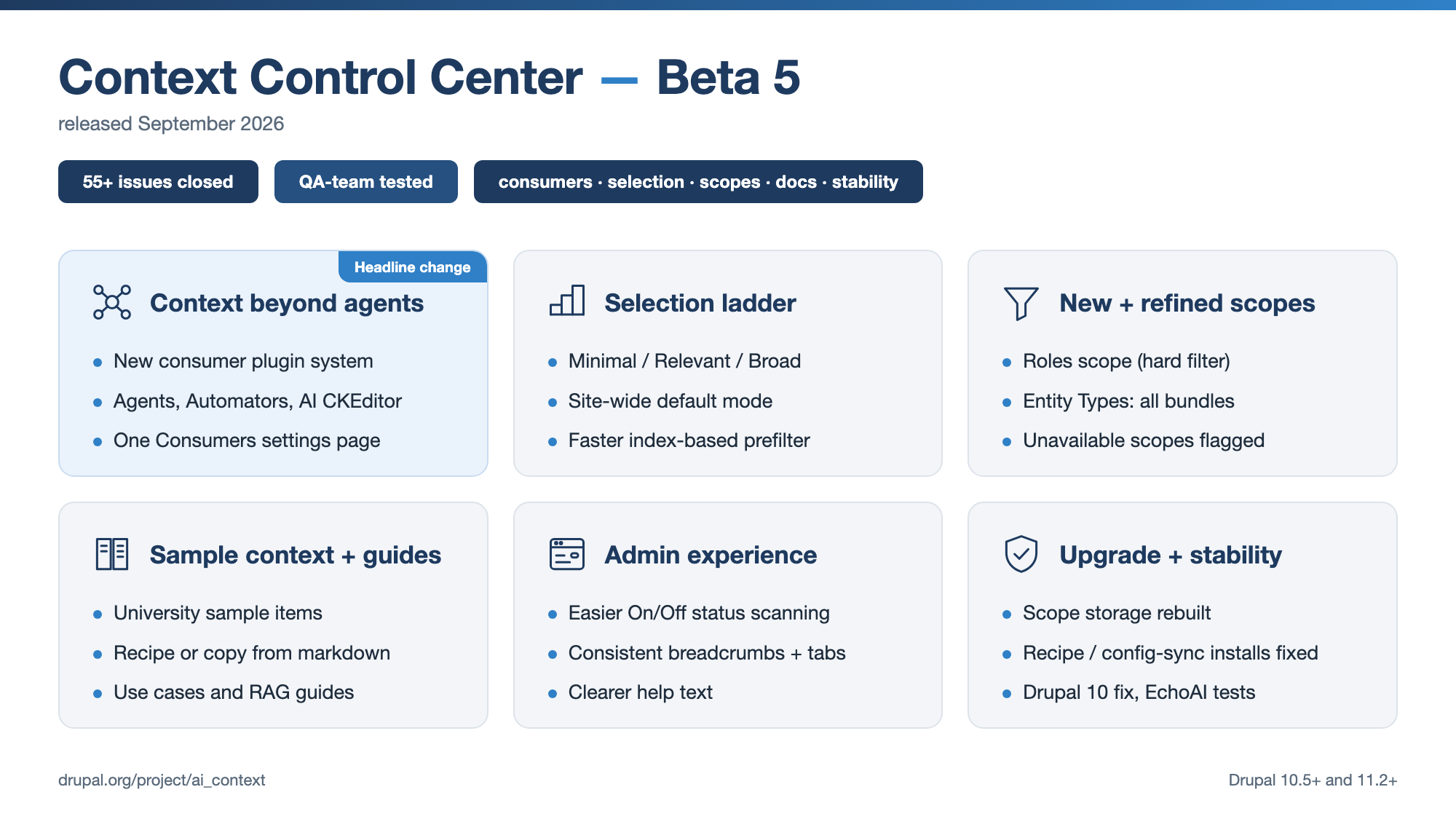
What’s new in AI Context beta 5
Beta 5 includes major improvements across the following 5 areas:
- Context for more than agents
- A clearer context selection ladder
- New and refined context scopes
- Sample context items and use cases
- Administration, documentation and stability
These changes make CCC more capable, better documented and easier to govern as the project moves towards release candidate status.
Context for more than agents
Until now, context items were only available for AI agents. If you also used AI automators to fill in fields, generate summaries or translate content, those features could not benefit from the same governed context.
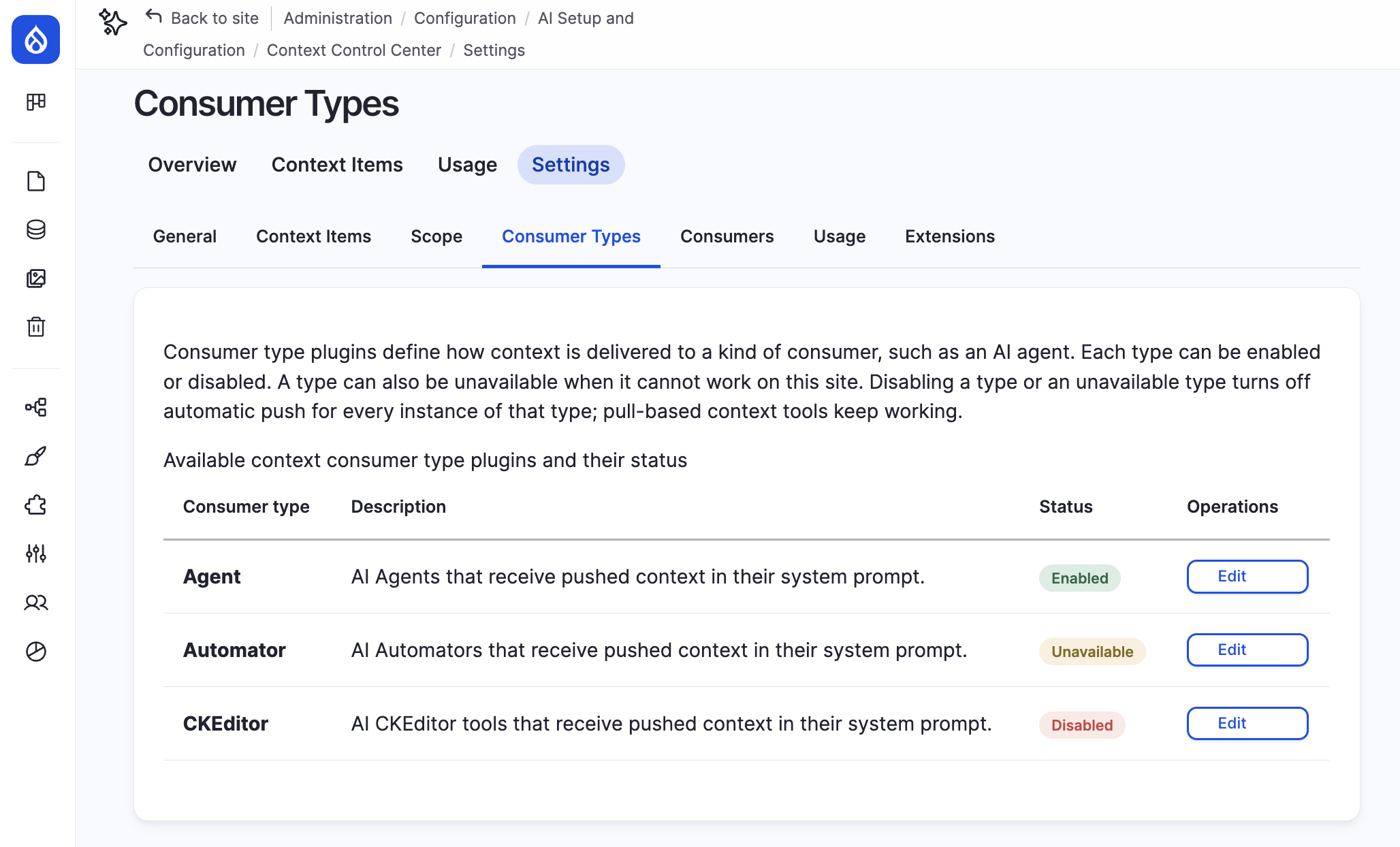
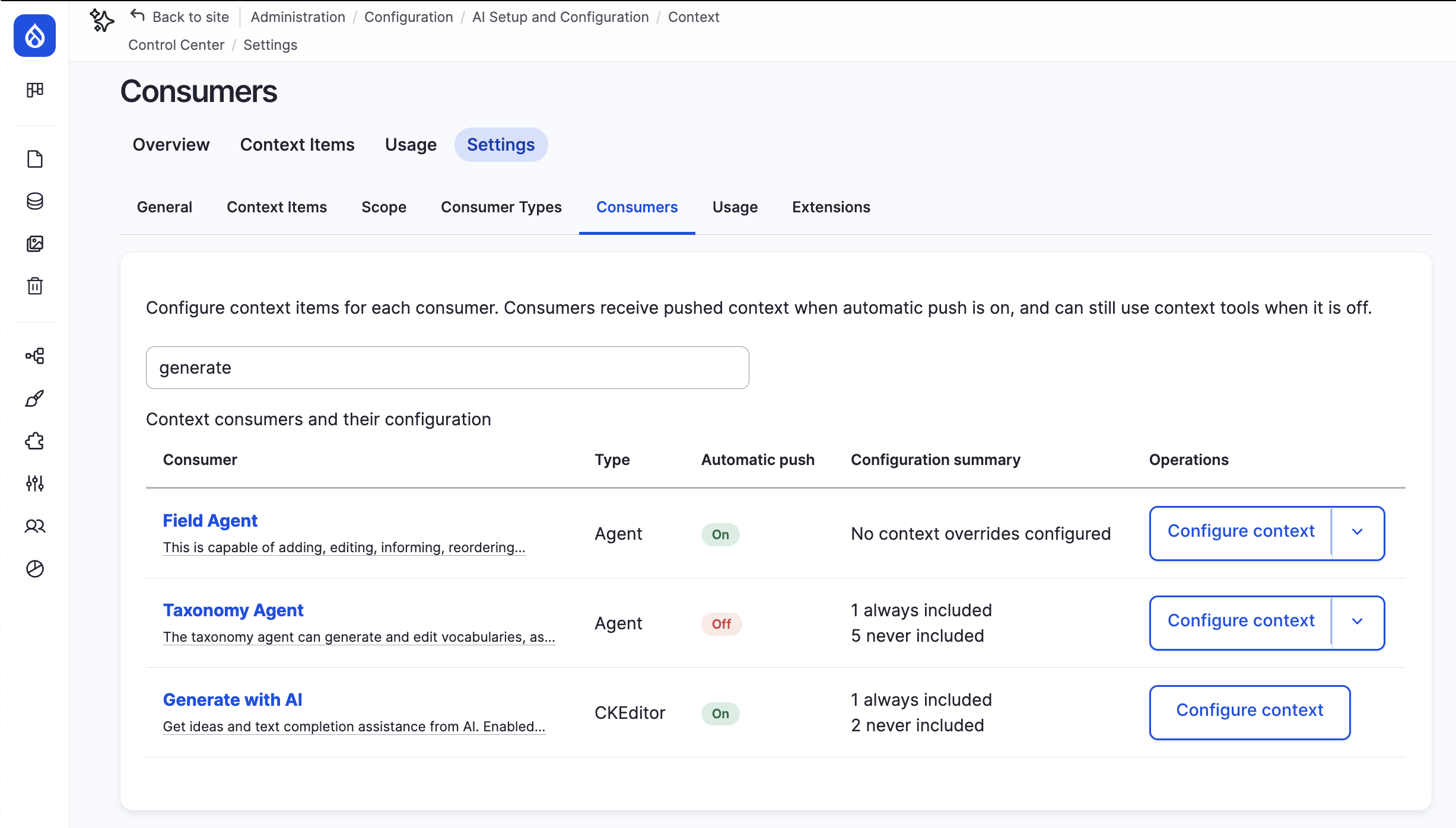
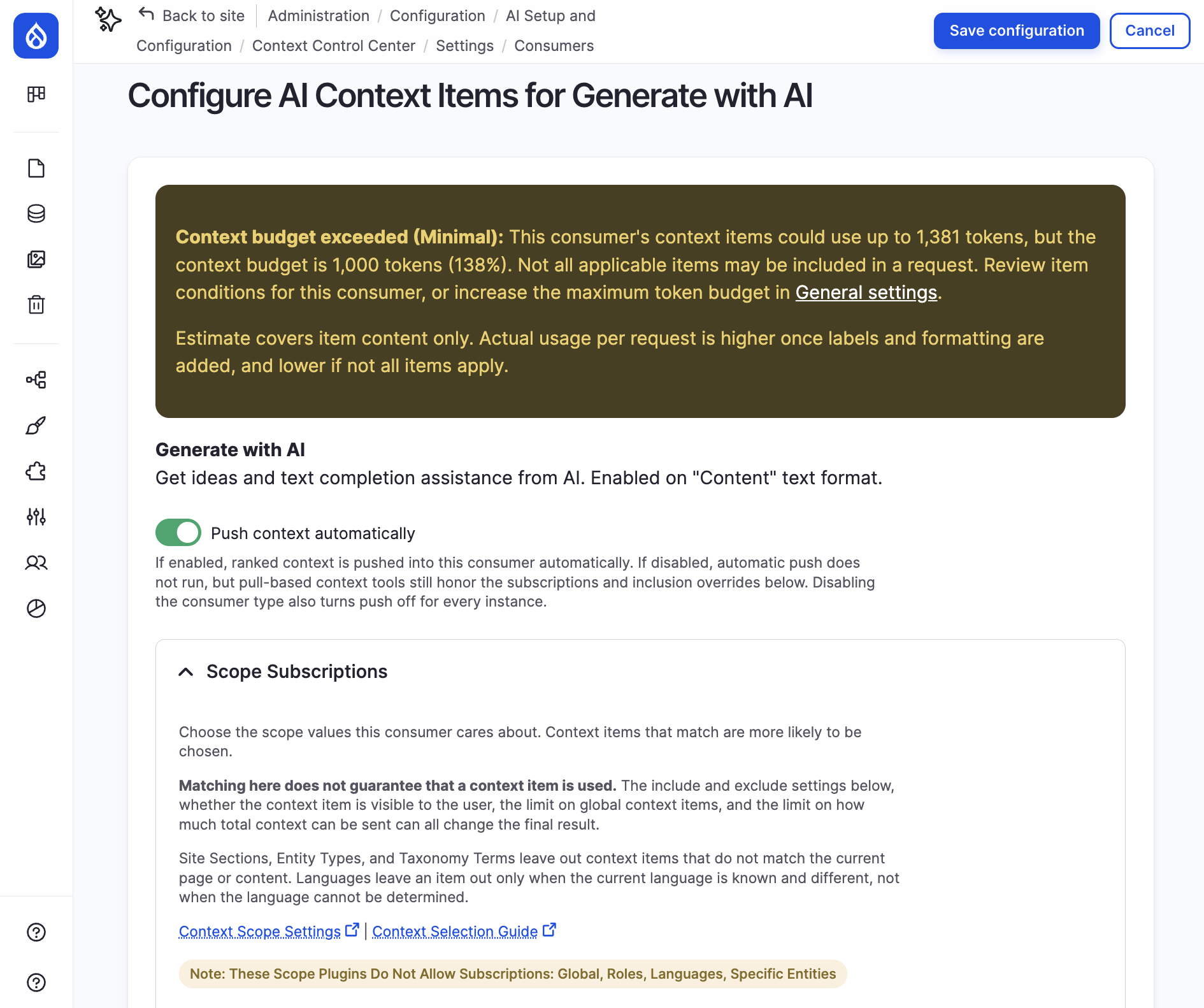
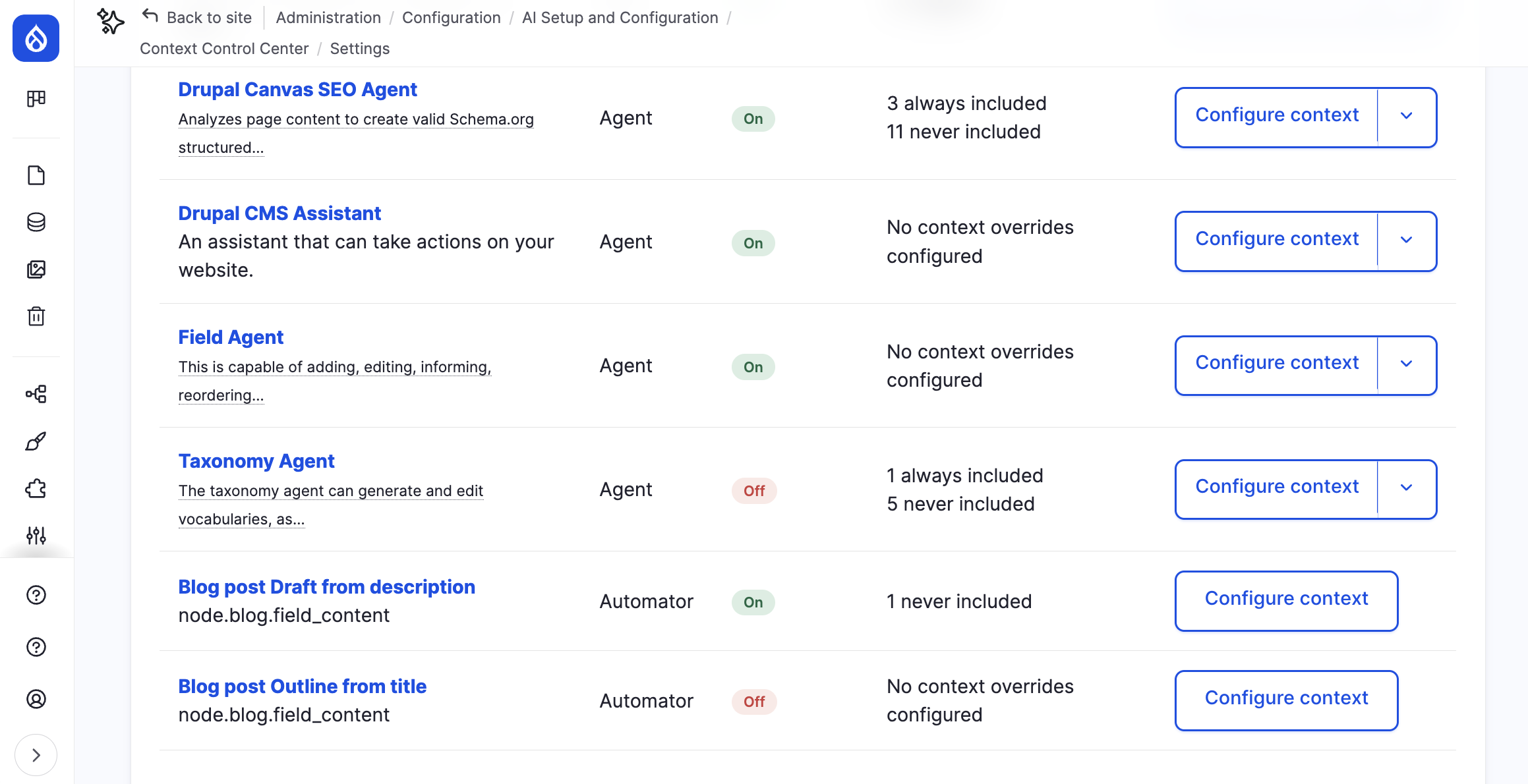
Beta 5 introduces context consumers. A consumer is anything on your site that receives context. AI agents are one kind of consumer. AI automators are another, and this release ships with an AI automators consumer. Other Drupal AI projects can add their own consumer types, so the list can grow without changes to CCC itself. The first of these is already available: AI CKEditor 1.5.0-beta2 ships a context consumer plugin, so context can guide the AI tools inside the CKEditor text editor as well.
For site builders, this means one place to manage everything. The new Consumers page under Context Control Center settings lists every agent and automator on your site and lets you configure each one with the same options:
-
Whether context can be pushed automatically
-
Which context scope values it subscribes to
-
Context items to always include and to never include
-
Optional overrides for item limits, token limits and selection mode
A separate Consumer Types page lets you turn a whole type on or off. For example, you can switch off automatic context pushing for every agent or every automator, without touching individual configuration.
For content editors, nothing changes about how you write context items. The same published context now reaches more of the AI features on your site, with the same rules applied everywhere.
A clearer context selection ladder
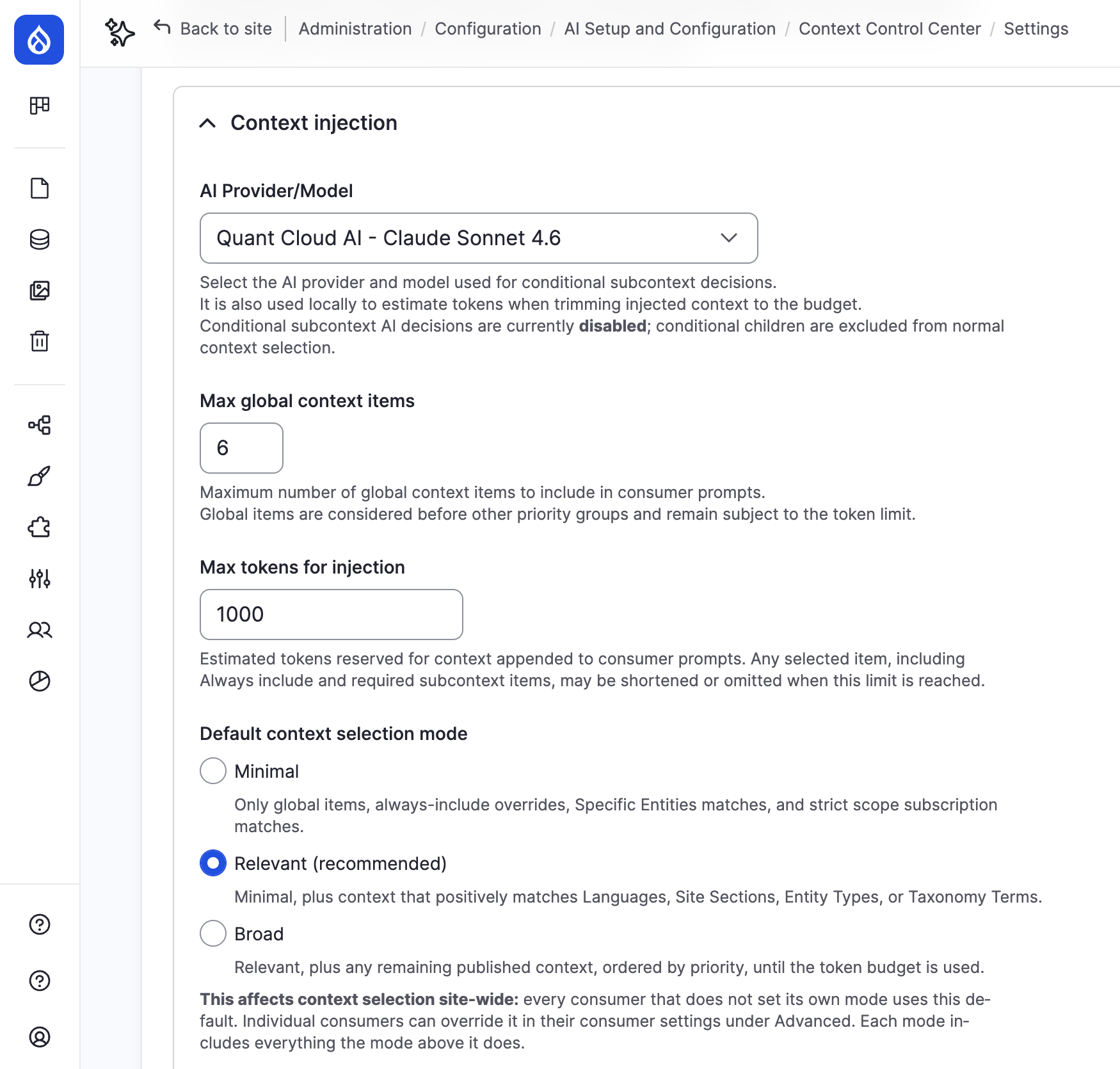
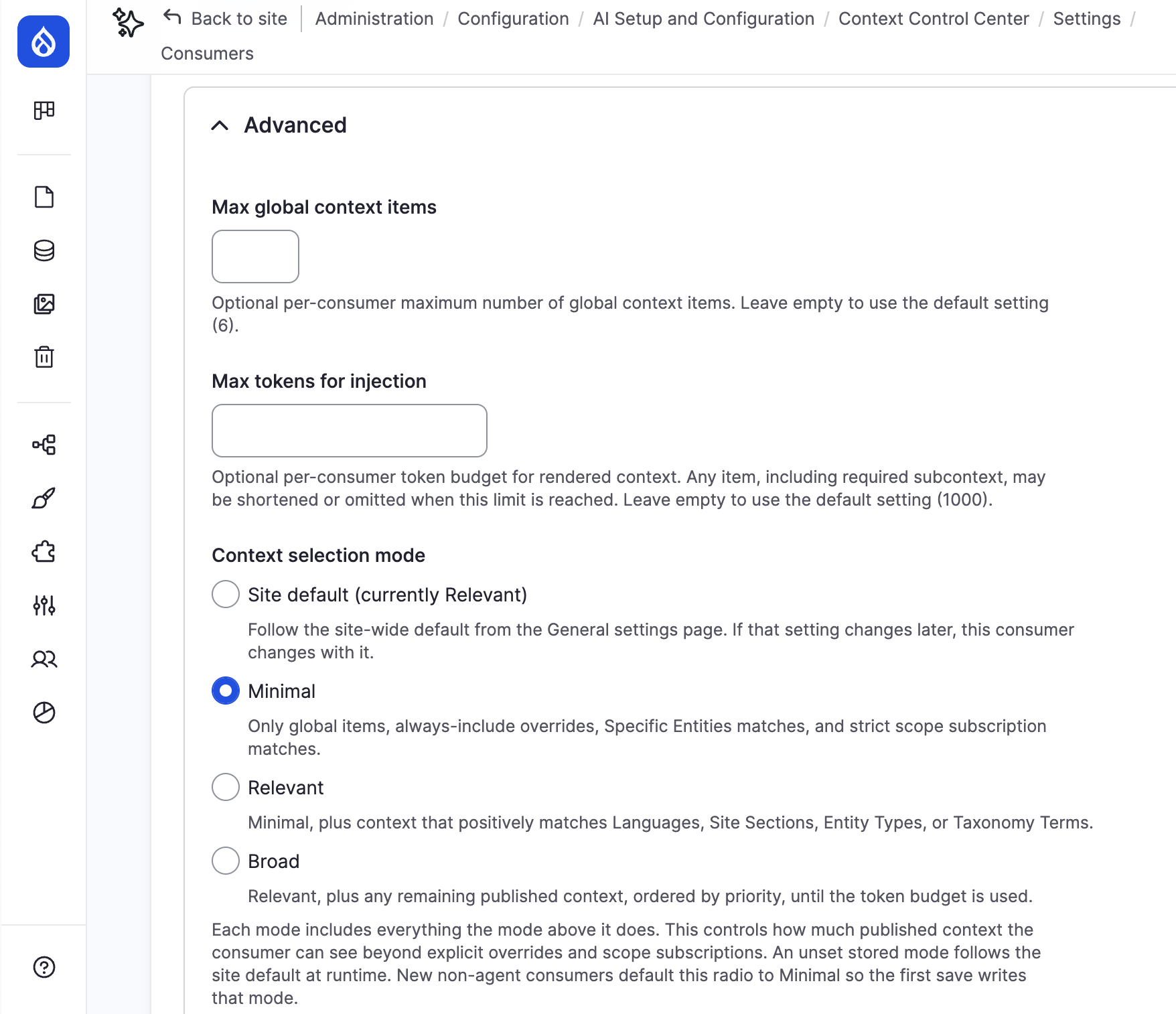
Beta 4 introduced priority and the token budget to control how many items reach a prompt. Beta 5 redesigns the context selection mode setting as a ladder of Minimal, Relevant and Broad, so each option has a clear meaning.
There are now three modes that build on each other:
- Minimal includes only context items that are Global, that a consumer marks as “Always include”, that are associated with a specific “entity” such as a content page or vocabulary term, or that match the consumer’s scope subscriptions.
- Relevant (the default) adds context items that positively match the current situation, for example an item scoped to the Article content type while an editor works on an article, even if the consumer did not explicitly subscribe to that scope.
- Broad adds any remaining published item that passes the hard filters, ordered by priority, until the token budget is used up.
Each mode is a superset of the one below it, and hard filters such as Languages and Roles apply in every mode. For example, a context item scoped to the editor role is never selected for an anonymous visitor using a chatbot, no matter which selection mode is in use.
There is now a site-wide default selection mode on the General settings page. Individual consumers use the default unless you explicitly choose a different mode, and changing the site-wide default later updates every consumer that has not overridden it. Behind the scenes, Minimal and Relevant now use an index to find candidate items faster instead of checking the whole catalogue, which helps sites with many context items.
New and refined context scopes
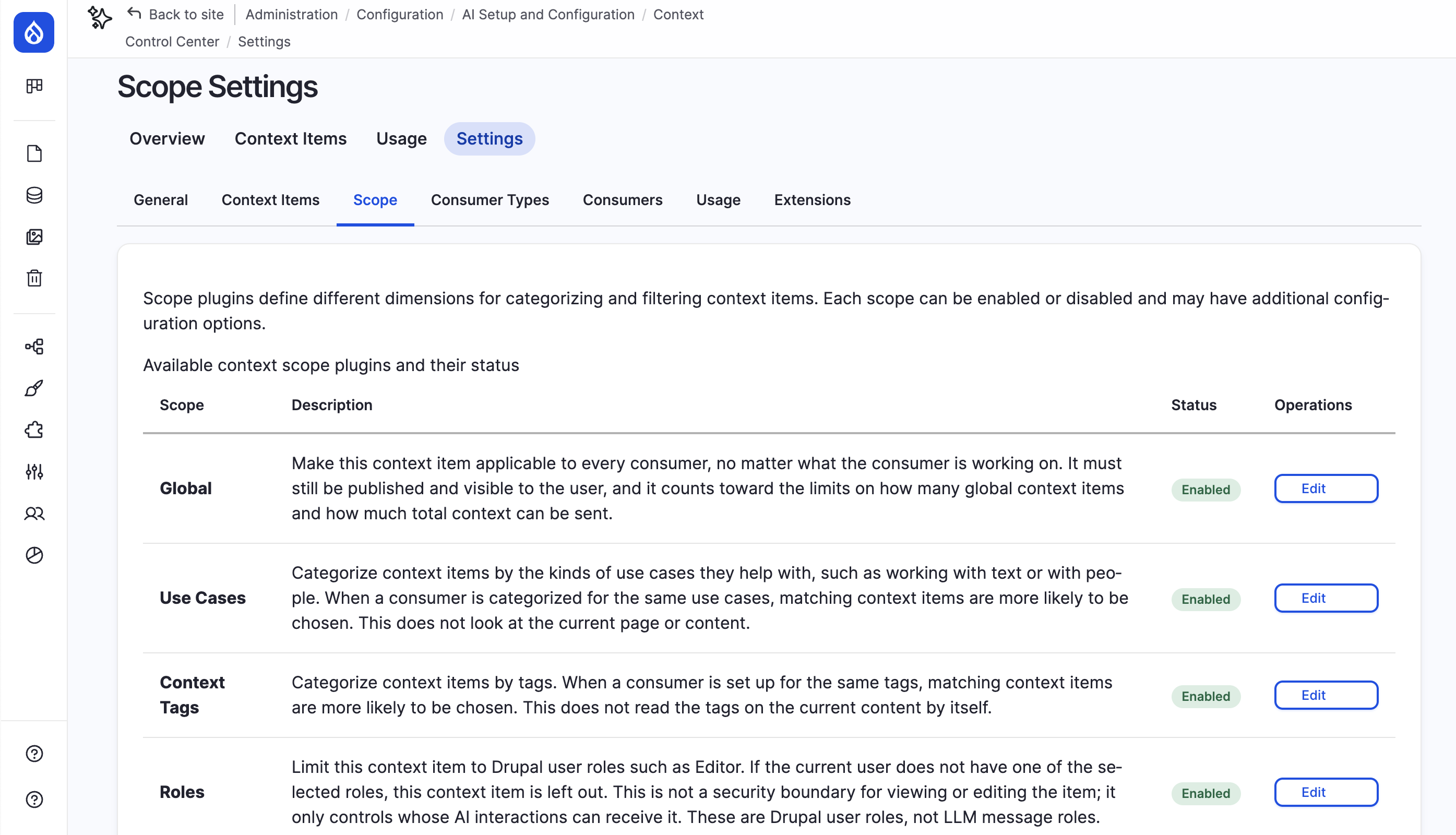
Scopes describe when a context item applies. Beta 5 adds one new scope and refines several existing ones.
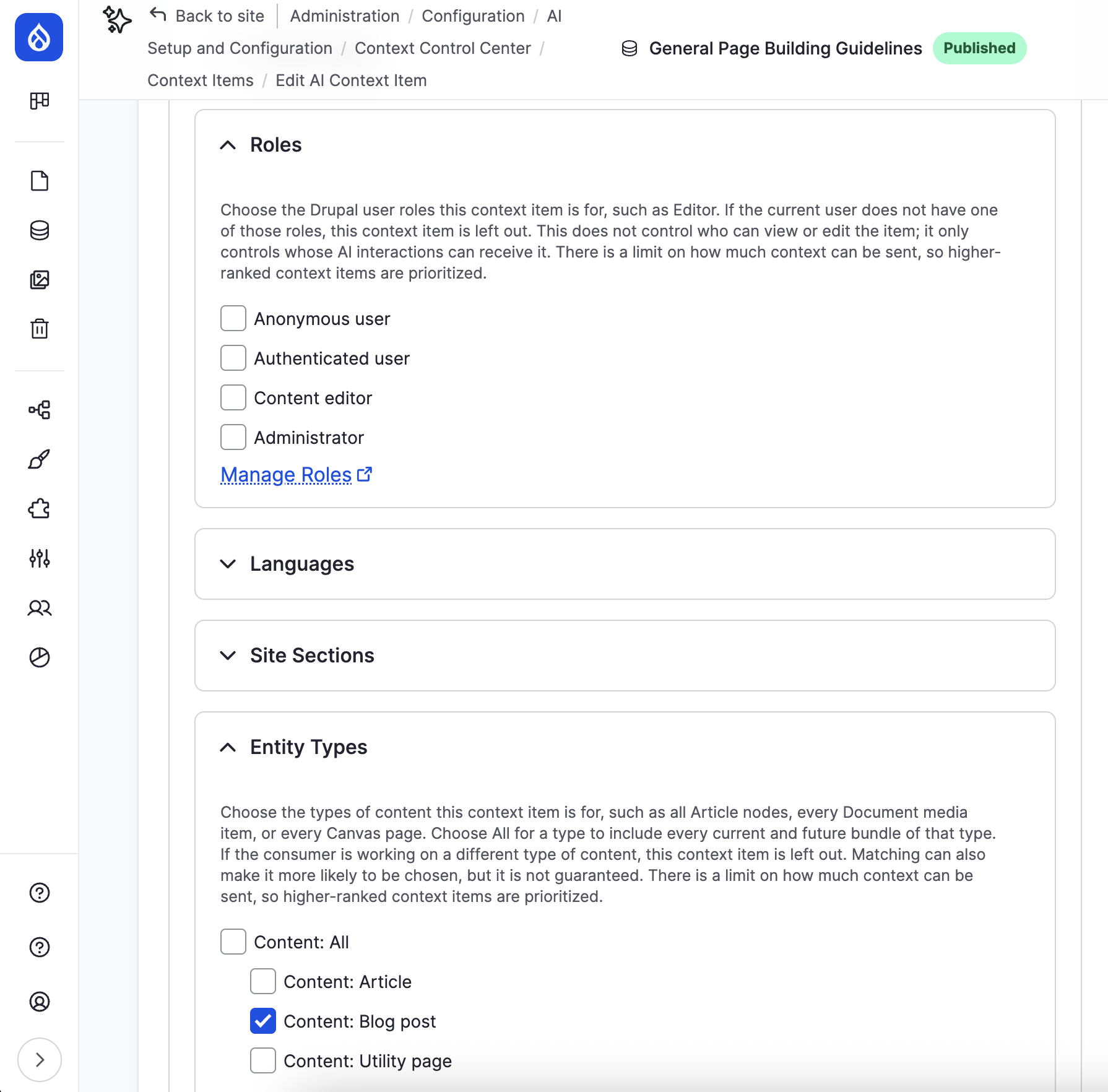
- The Roles scope is new. Select one or more Drupal user roles on a context item, and it can only be given to AI interactions when the acting user has at least one of those roles. This lets you write guidance for editors that anonymous visitors using a chatbot can never receive. The Roles scope is a filter only. It’s not a permission for viewing or editing context items, and it does not make a context item more likely to be selected.
- The Entity Types scope can now target a whole “entity type” that includes all “bundles”, for example all content (entity type), without listing every content type (bundle) such as blog post, news article, etc. New bundles added later are covered automatically, for example, if you added a new content type for services.
- The Languages scope is now shown as unavailable on single-language sites so it does not clutter forms where it can never match. And, context consumers can no longer subscribe to Languages, because language matching is now automatic.
- The Specific Entities scope is marked unavailable until the Dynamic Entity Reference module is installed as it’s a dependency. This scope allows you to associate context items with a particular page, a taxonomy term, or any “entity item” in the site.
For all scopes, stored scope values and subscriptions are now preserved when a scope is disabled or unavailable, so nothing is lost if you turn a scope off temporarily. And, the display order of scopes on forms is now separate from how much weight they carry during context selection.
Sample context items and use cases
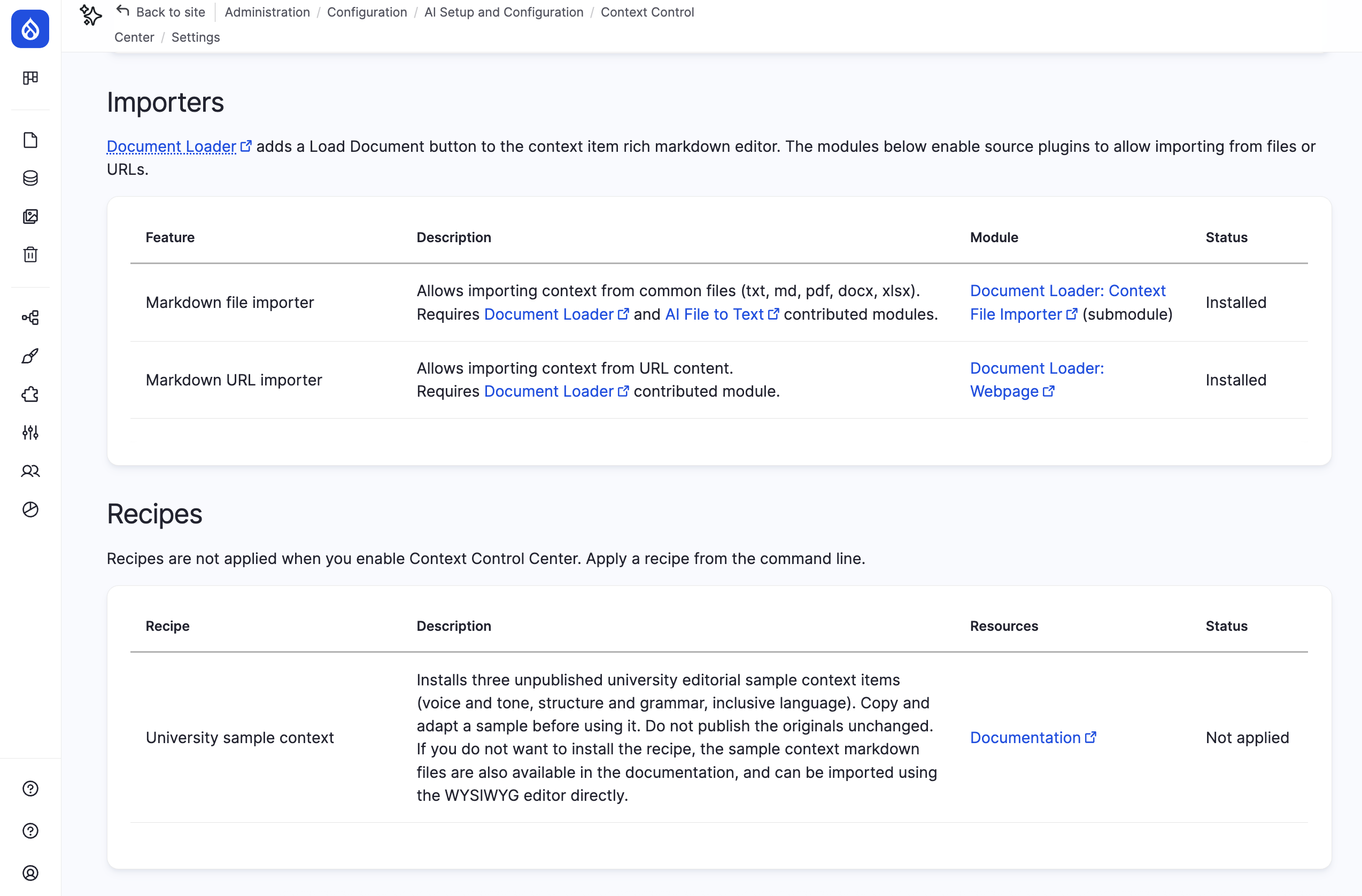
Writing your first context items from a blank page may feel daunting. Beta 5 ships three university-themed sample items covering voice and tone, structure and grammar, and inclusive language. More samples will be added over time.
Site builders can apply an optional recipe that imports the three items as drafts. Editors who prefer not to involve a developer can copy the same content from the documentation, where each sample is provided as markdown. The samples are illustrative and stay unpublished so they never affect AI features. Duplicate one, adapt it to your organisation, then publish the copy.
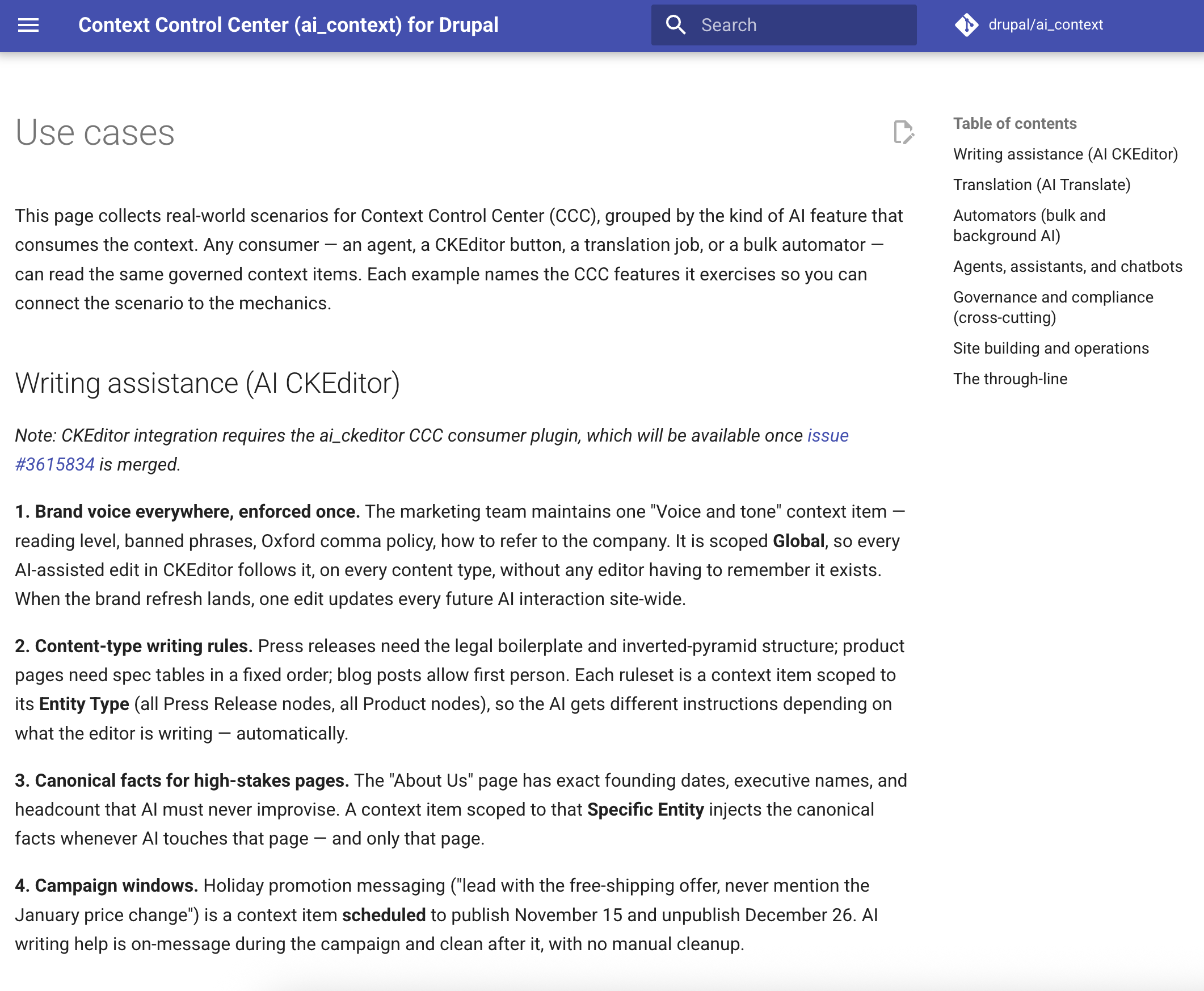
If you’re not sure what to write context items about, the new use cases guide walks through real-world scenarios such as brand voice for writing assistance, glossaries for translation, SEO and tagging rules for automators, and guardrails for chatbots. Each scenario explains which scopes and consumers to combine so you can start from a situation you recognise rather than from a blank item.
Administration, documentation and stability
User experience
Several smaller changes make CCC easier to use day-to-day:
- Breadcrumbs and tabs on CCC pages are consistent.
- Help text clarifies how Specific Entities exclusion works.
- On/Off and Enabled/Disabled/Unavailable indicators on the scope and consumer listings are easier to scan.
Documentation
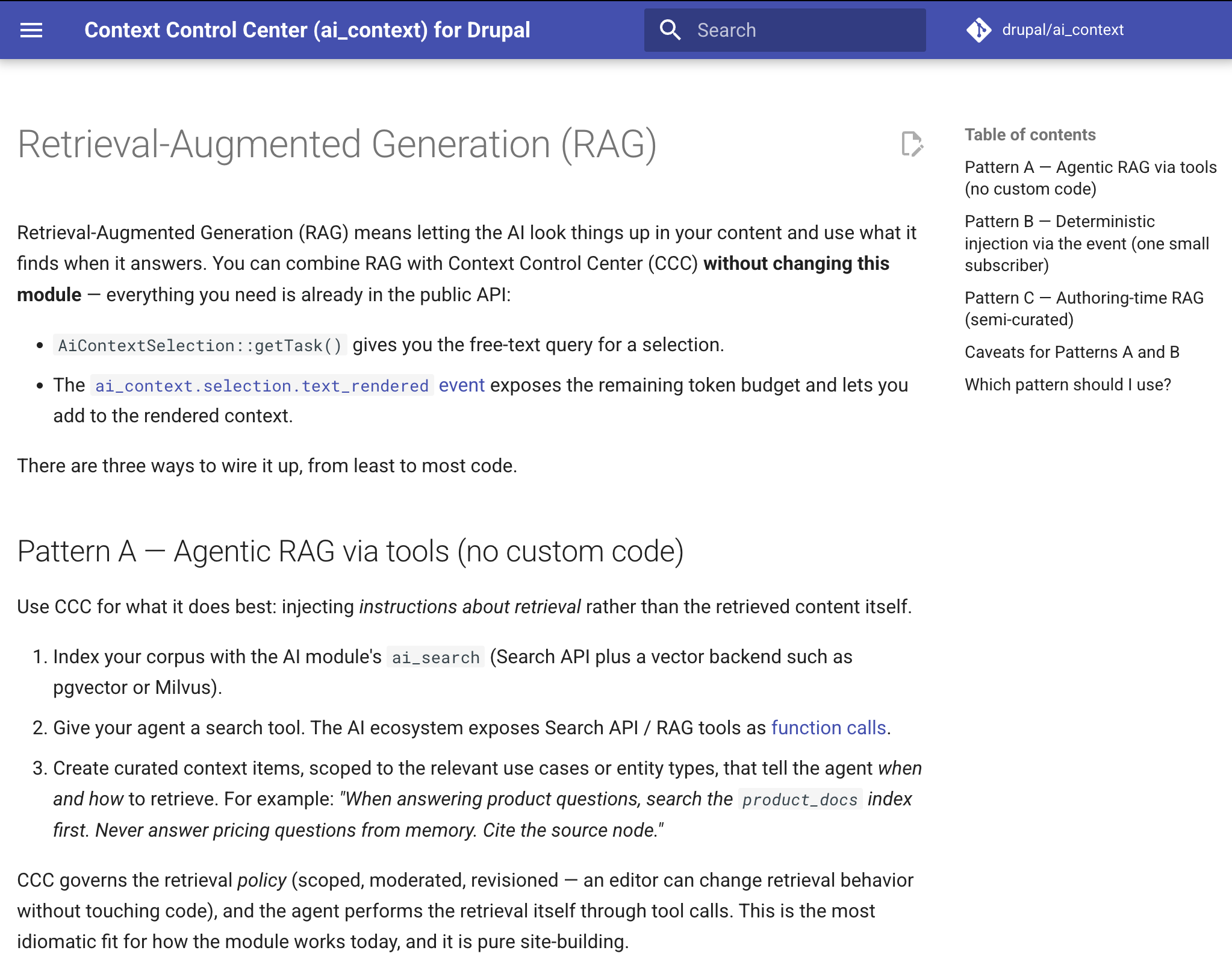
Documentation now covers real-world use cases for CCC 1.0, how to combine CCC with retrieval-augmented generation (RAG) and vector stores, and how context reaches a chatbot such as DeepChat. A new guide explains that sites installing CCC through a recipe or configuration sync must import the module’s own configuration, and the Status report now warns when the editorial workflow is missing.
Reliability
Reliability work in this release includes:
- Context items now respect entity view access during selection.
- A fatal error on Drupal 10 sites caused by unregistered hook classes is fixed.
- Stale scope values are cleaned up automatically when an option, such as a taxonomy term or site section, is deleted.
- The context item scope storage was rebuilt as a multi-value field, which fixes upgrade problems on some sites and simplifies future changes.
- Site Sections scope can now match the page a visitor is on when the request arrives through an API route, such as the DeepChat chatbot endpoint.
- Consumer include and exclude settings are stored as UUIDs, so they survive configuration export and import between environments.
Testing
The automated test suite grew substantially, including integration tests that run agents against a dummy EchoAI provider so context injection can be verified without calling a real AI service. The QA team also completed a full pass of the functionality and gave feedback that improved the QA documentation.
Upgrading to beta 5
Existing sites should run Drupal’s database updates after upgrading.
Beta 5 includes updates that:
-
Switch stored context item references to UUIDs
-
Remove stale scope values left behind by deleted options
-
Convert context item scope storage to the new multi-value field
-
Install settings for the Roles scope and the AI automators consumer type
-
Move existing agent context settings into the new consumer configuration
-
Add site-wide selection mode and switches old “Match all” to new “Broad” mode
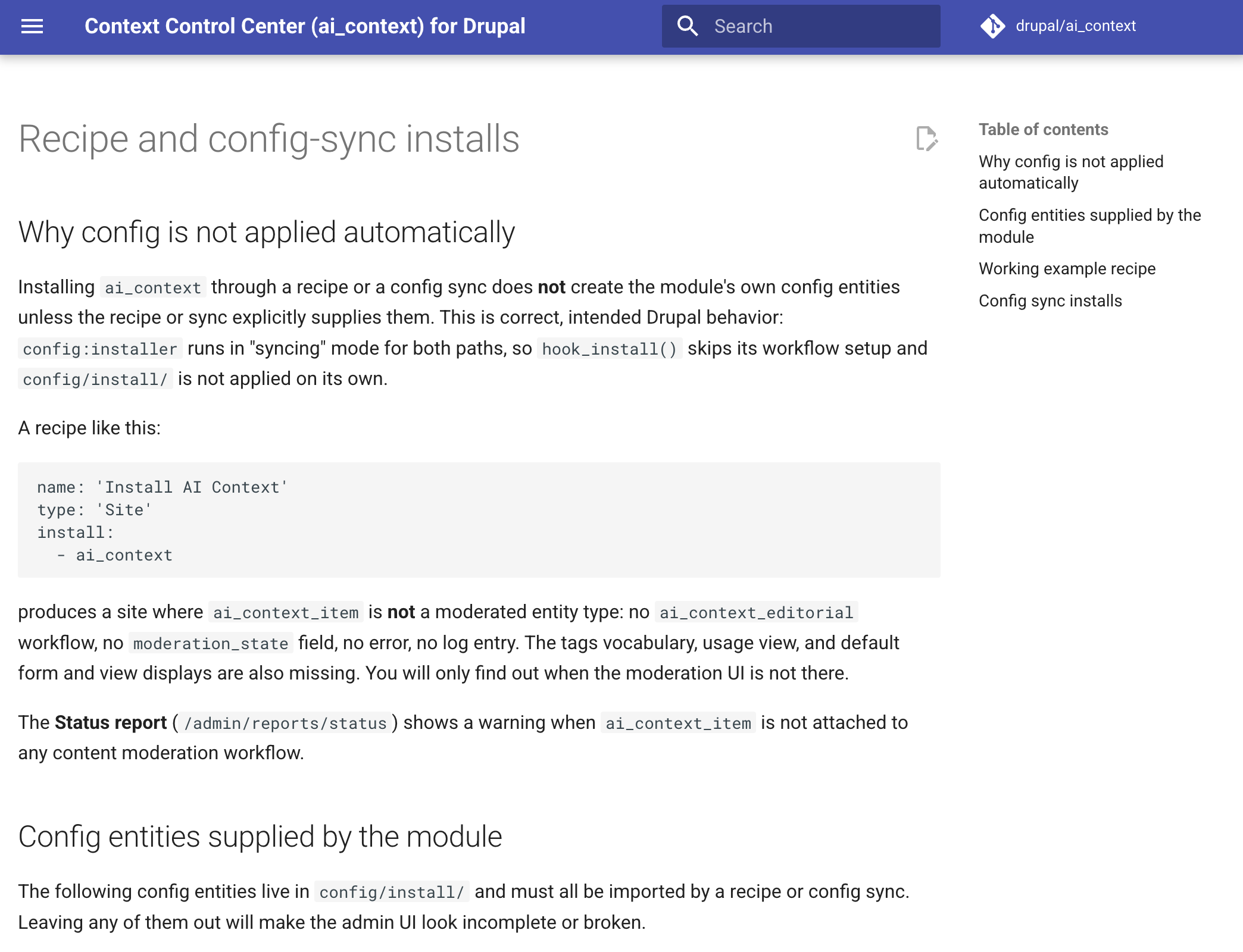
Sites that install or manage CCC through a recipe or configuration sync must make sure the module’s own configuration is included. Without it, the editorial workflow and moderation state field are missing. See the new recipe and config-sync documentation for a working example.
Beta 5 supports Drupal 10.5+ and 11.2+. Sites on Drupal 10 that saw a fatal error after upgrading to beta 4 should upgrade to beta 5 directly. As with all beta releases, test the upgrade in a non-production environment first and back up your database before running updates. As we’re still in beta, it’s not recommended to use CCC in production.
Full technical details are available in the beta 5 release notes.
Help test Drupal AI Context
We’re looking for additional community testing and feedback. Beta 5 is expected to be the final beta release, and a first release candidate should be available soon.
Areas where testing is particularly valuable include:
-
Upgrading from beta 3 or beta 4, including on Drupal 10
-
Testing Roles scope behaviour for editors versus other roles
-
Trying the Entity Types scope with the “All” option for a content type
-
Installing CCC through a recipe or configuration sync
-
Applying the university sample recipe or creating the samples from markdown
-
Assessing the On/Off and Enabled/Disabled/Unavailable indicators
-
Configuring context for automators and CKEditor and checking AI outputs
-
Switching selection modes and confirming the items you expect are selected
Issues and feedback can be submitted through the AI Context issue queue.
Thanks to the contributors
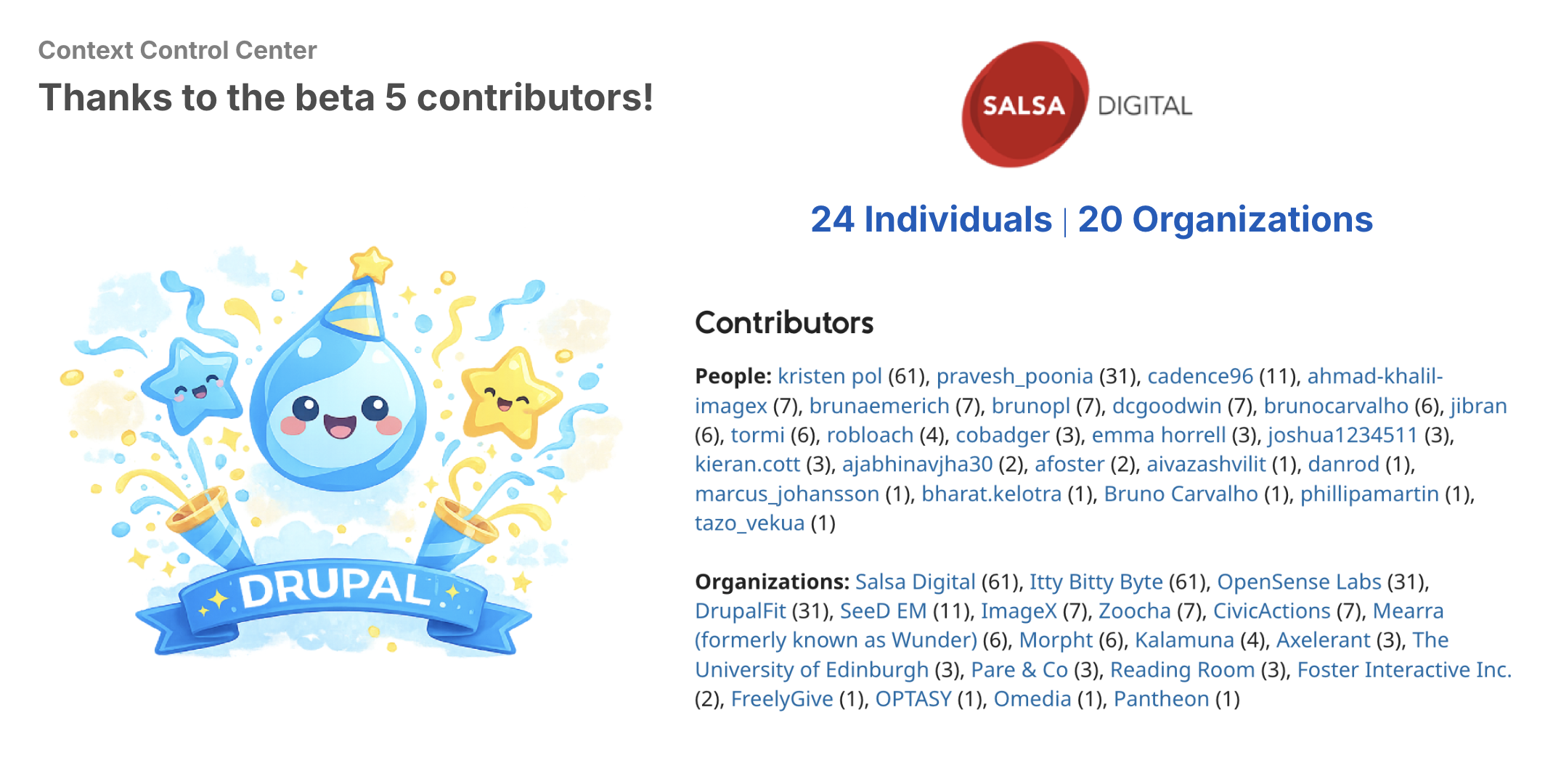
Beta 5 brings together more than 60 contributions across development, testing, design, accessibility, security, documentation and coordination.
Thank you to the many individual contributors and supporting organisations that helped deliver the release, and a special thanks to top 10 contributors*: Kristen Pol, Pravesh Poonia, Ricardo Castañeda, Ahmad Khalil, Dan Goodwin, Bruna Emerich, Bruno Potyguara, Bruno Carvalho, Jibran Ijaz, Tormi Tabor, and Rob Loach. And a special mention to Emma Horrell from the University of Edinburgh for providing the sample university context items, and to both Emma and Aidan Foster for working through the context items that will be used for the Rotterdam AI demo to be released soon.
The complete contributor list and the issue breakdown are available in the beta 5 release notes and the beta 5 milestone.
About AI Context
Drupal AI Context, also known as Context Control Center, is a Drupal module for providing governed, reusable context to AI-powered workflows and agents.
CCC allows organisations to centrally manage information such as brand voice, editorial standards, governance rules, product information and organisational knowledge so AI systems can produce more consistent, accurate and trustworthy outputs.
The project supports scoped context, subcontexts, moderation workflows, multilingual content, usage tracking, document imports and integrations with the broader Drupal AI ecosystem.