

Summary: Beta 4 of Drupal AI Context adds a taxonomy scope for term-based context matching, improves selection control, introduces a dedicated editorial workflow, and promotes document importing to stable, while enhancing reliability, documentation and user experience.

- Date:
- Author:
- Kristen Pol
Beta 4 release of Drupal AI Context
Beta 4 of Drupal AI Context, also known as Context Control Center (CCC), is now available.
CCC helps Drupal sites provide governed, reusable context for AI workflows and agents, from brand voice and editorial standards to organisational knowledge and governance rules. This gives AI systems access to more structured and relevant information while allowing teams to manage that information centrally.
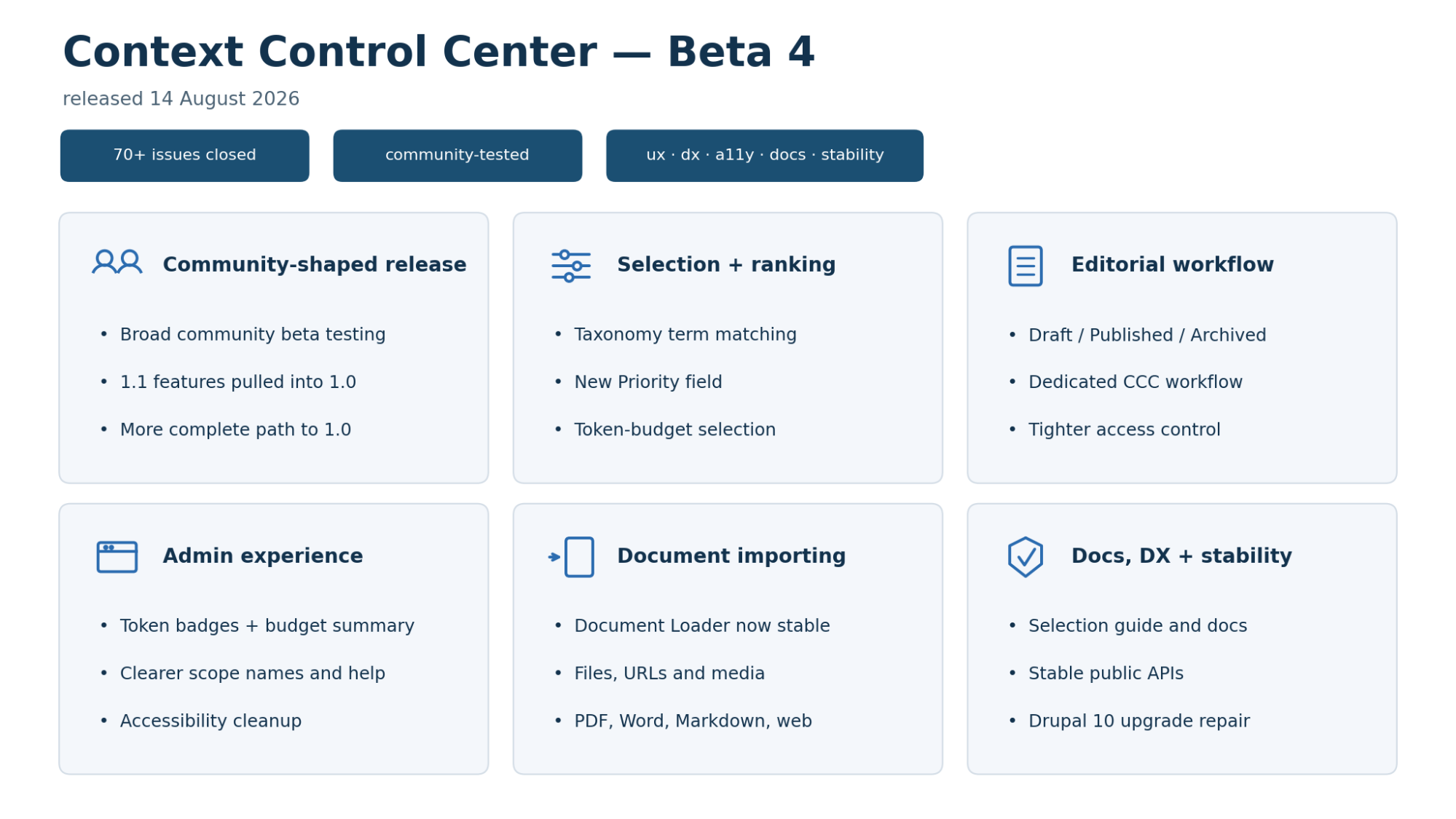
Following the beta 3 release, beta 4 has been shaped by extensive community testing and an expanded scope. The community testing revealed refinements for a more intuitive user experience, and several features earmarked for 1.1 have been brought forward into 1.0. The result is a more capable, usable and reliable context management system.
More than 70 issues were completed for the release, including contributions across development, testing, design, accessibility, security, documentation and release coordination.
What’s new in AI Context beta 4
Beta 4 includes major improvements across the following 5 areas:
- Context selection and ranking
- Editorial workflow and governance
- Administration and user experience
- Document importing
- Documentation, developer experience and stability
These changes make CCC more predictable, better documented and easier to govern as the project moves towards release candidate status.
Context selection and ranking
Beta 4 adds new ways to match context to content and gives editors more control over which items are preferred.
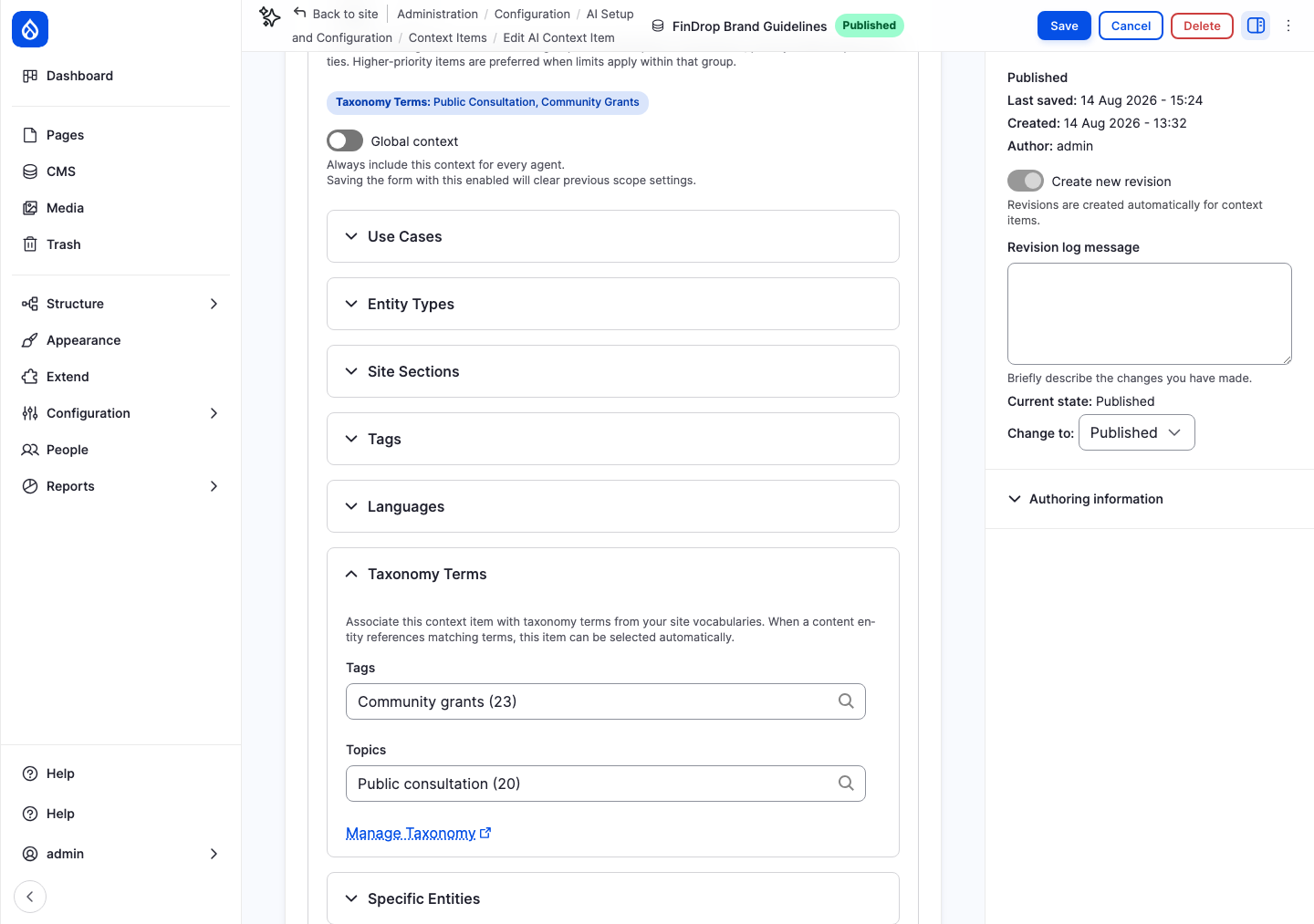
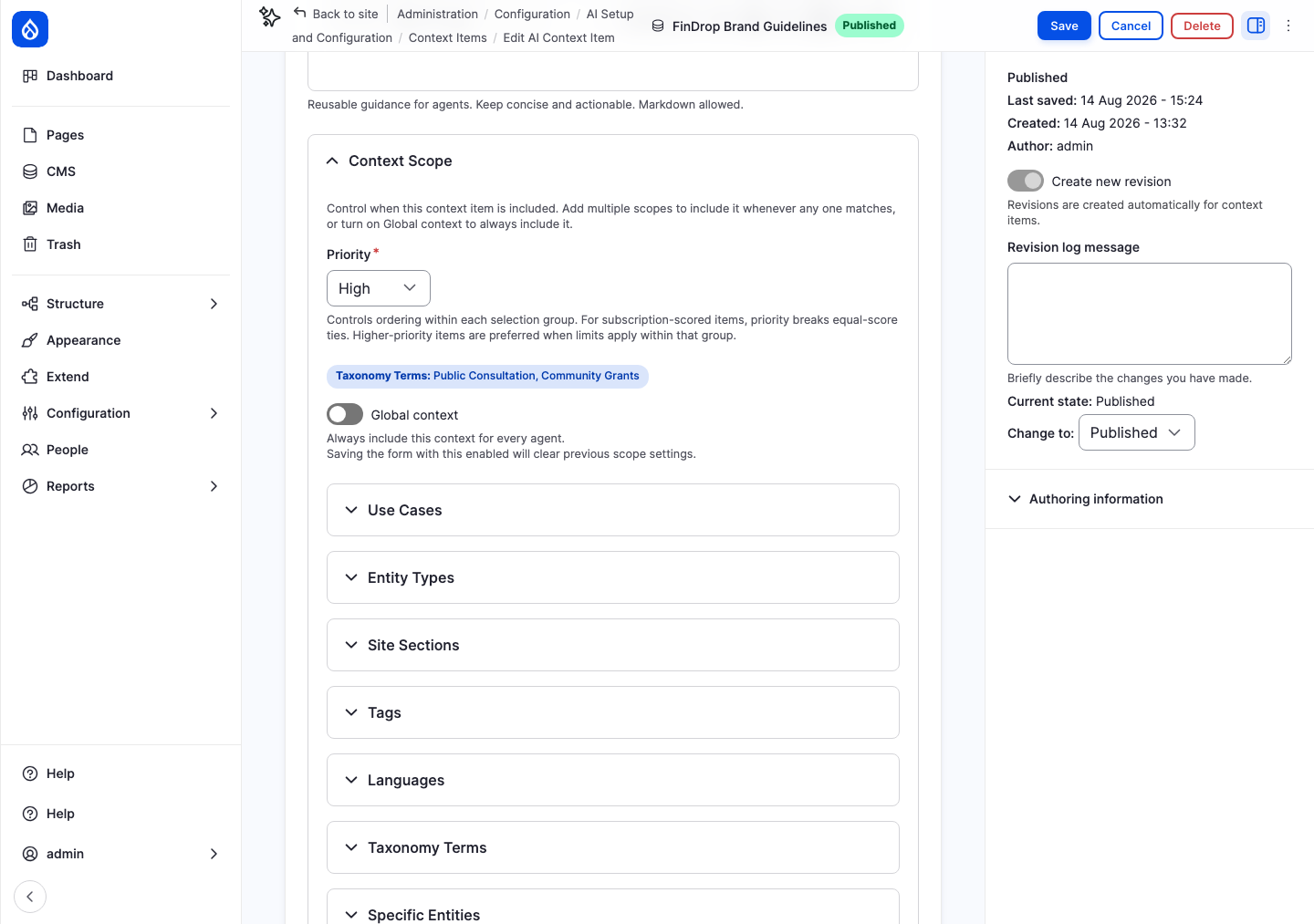
New taxonomy scope plugin
A new Taxonomy scope plugin lets you associate context items with taxonomy terms from your site’s content. When an agent is working on content that carries those terms, the matching context items are included automatically, subject to your site’s configured token limits. For example, if an article is tagged “Health services” and a context item is associated with that term, it will be included when an agent is working on that article. This is separate from Context Tags (the renamed Tags scope plugin), which categorise the context items themselves.
New context item priority field
A new Priority field (High, Medium or Low) lets editors indicate which items should be preferred when several are relevant to the same request. Priority affects ordering, but does not guarantee inclusion, as total context is subject to token limits.
New context injection opt-out
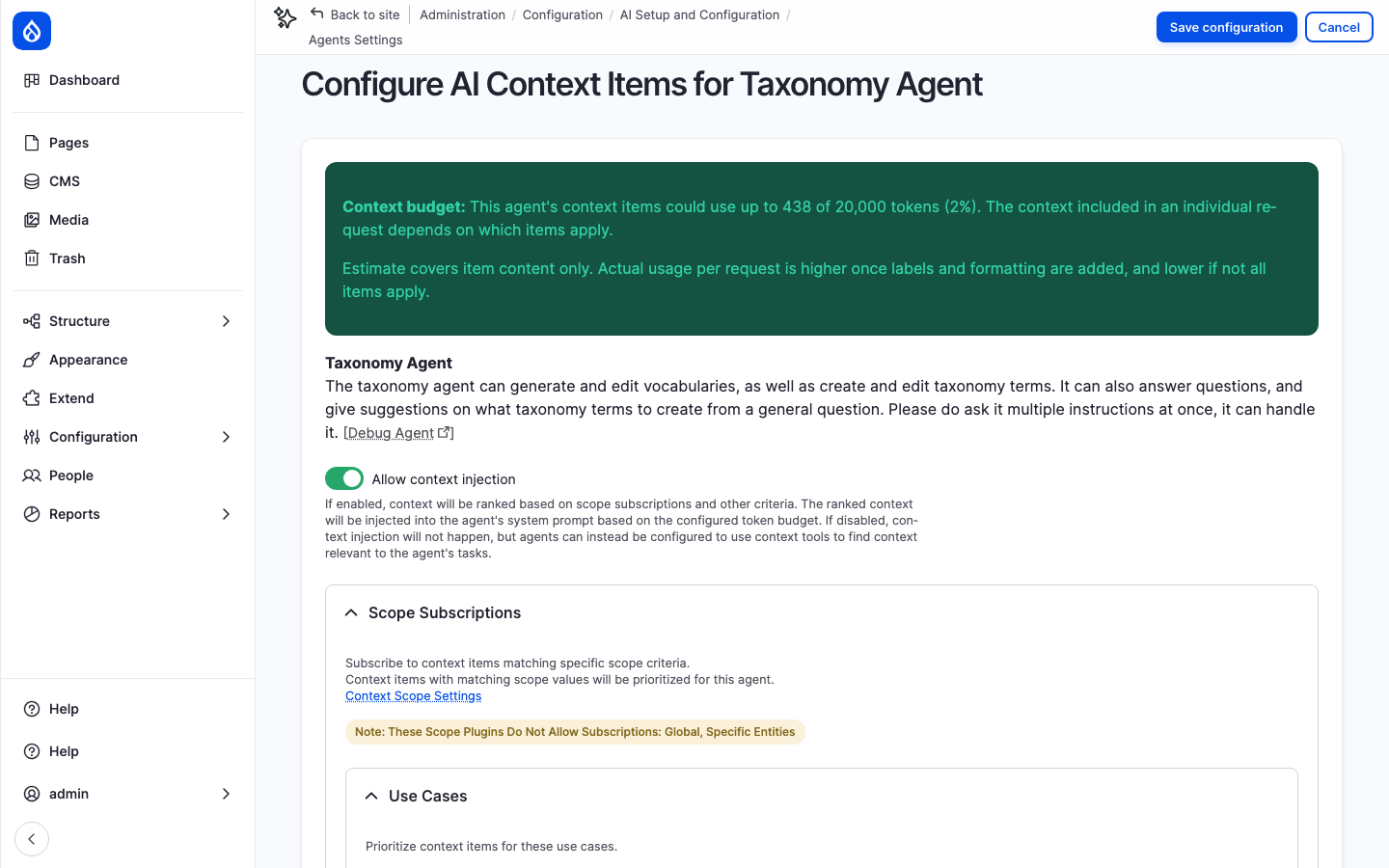
Context can be leveraged through either “push” (automatic injection) or “pull” (context tools). Agents can now be configured to opt out of automatic context injection (“push”) yet still use context tools (“pull”) to find relevant items when a task needs them instead.
Maximum items setting removed
The previous maximum context items setting has been removed. A count of context items is a poor measure of how much context a prompt can hold, as item size may vary greatly. Selection is now governed by the token budget and the global-item limit.
Improved UI text and documentation
Forms and documentation now make clear that Global, Always include and similar settings improve a context item’s chances for context selection, though they do not guarantee it will be selected if the token budget is tight.
Editorial workflow and governance
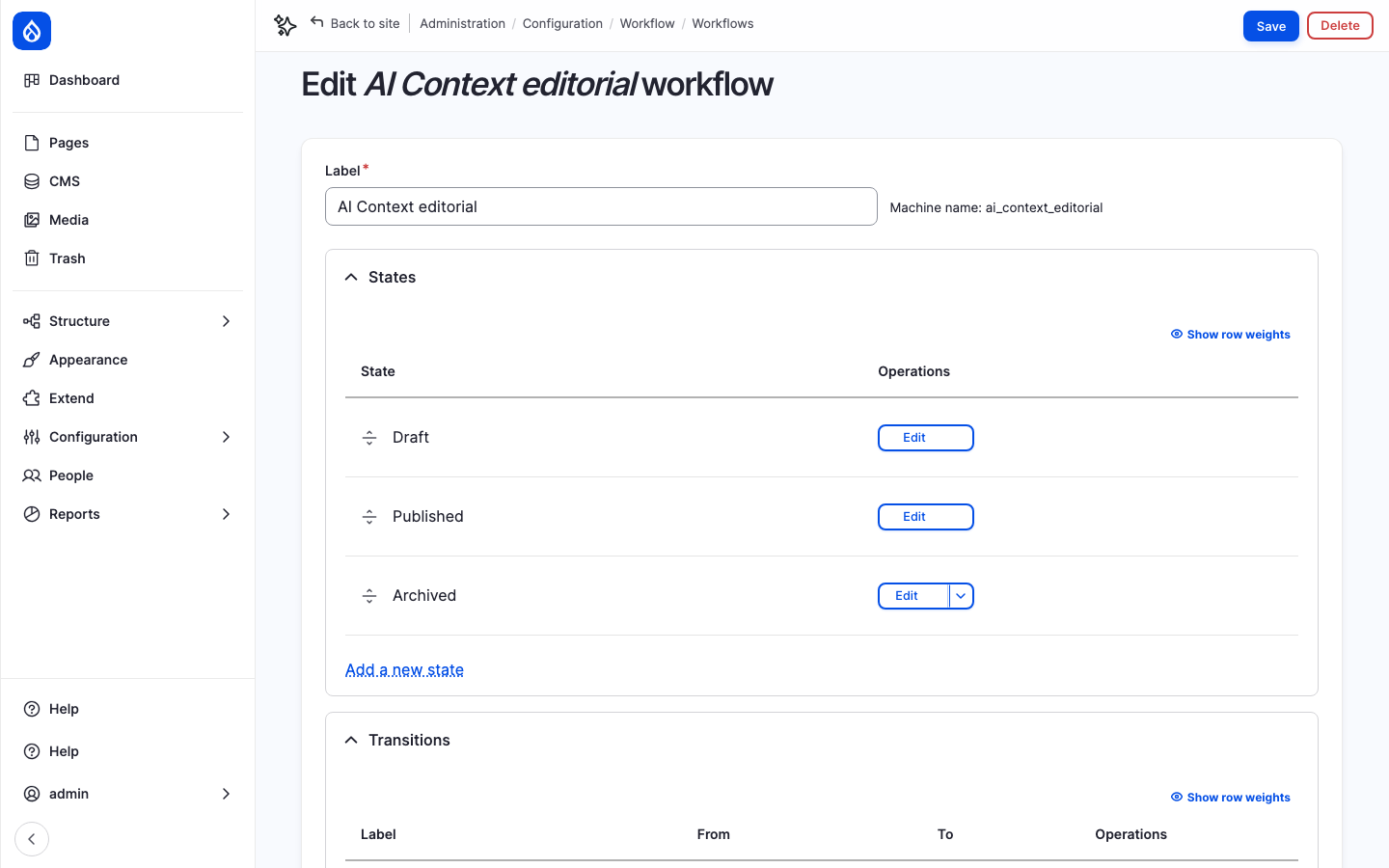
Context items now have their own editorial workflow, separate from other content on the site.
The new AI Context editorial workflow has three states:
- Draft — being written or revised
- Published — active and available for selection
- Archived — deactivated and restore-only
This avoids the ambiguous states that arose when context items shared a workflow with other content types. Existing items and role permissions are migrated automatically on upgrade.
Access control was also tightened. Users without permission to view unpublished items will no longer see them in listings. A documented permission matrix now covers the recommended roles for 1.0: author, editor, administrator and published-context consumer.
Administration and user experience
Beta 4 includes substantial improvements to the administration interface, making it easier to understand how context is being used.
Token budget visibility
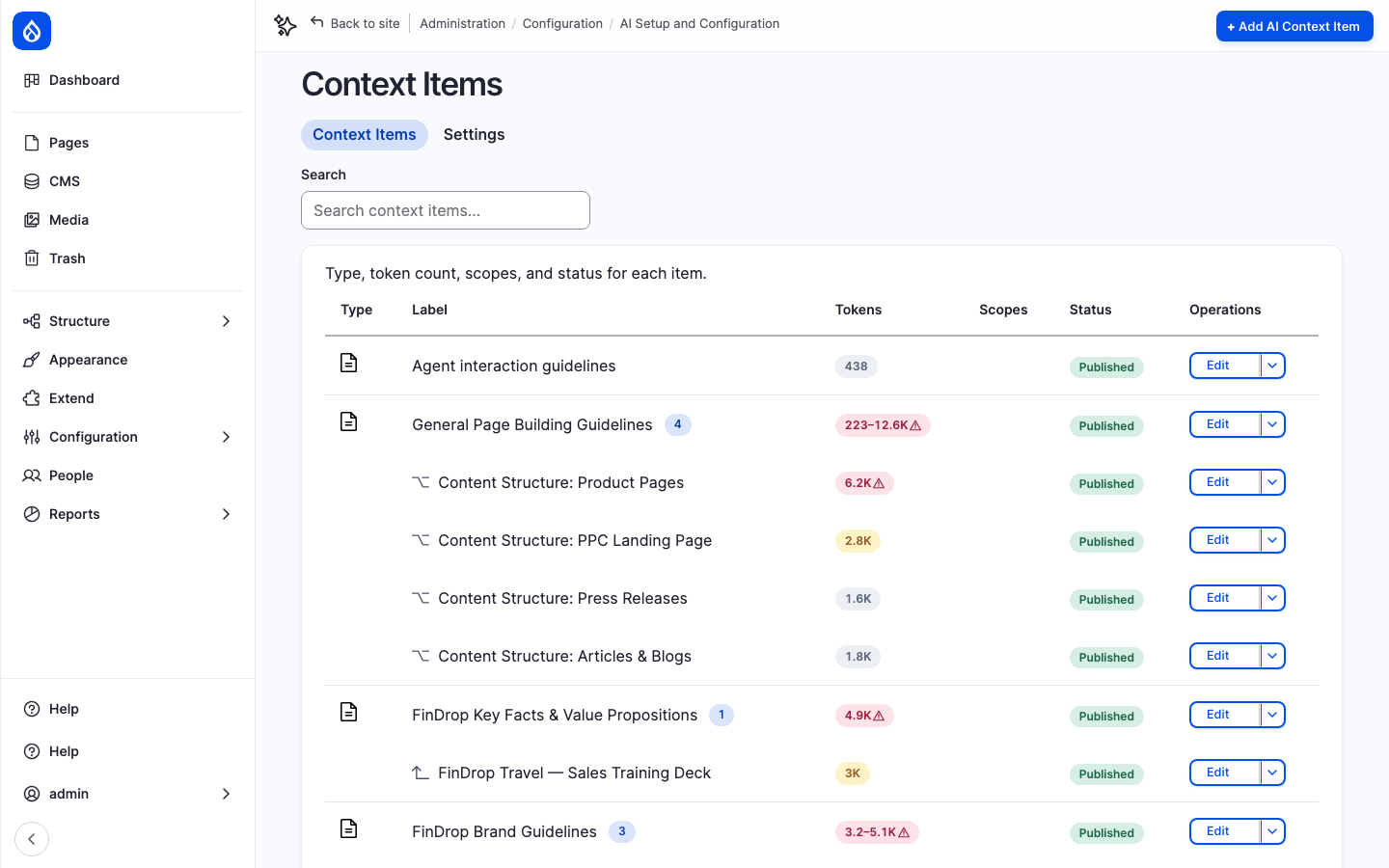
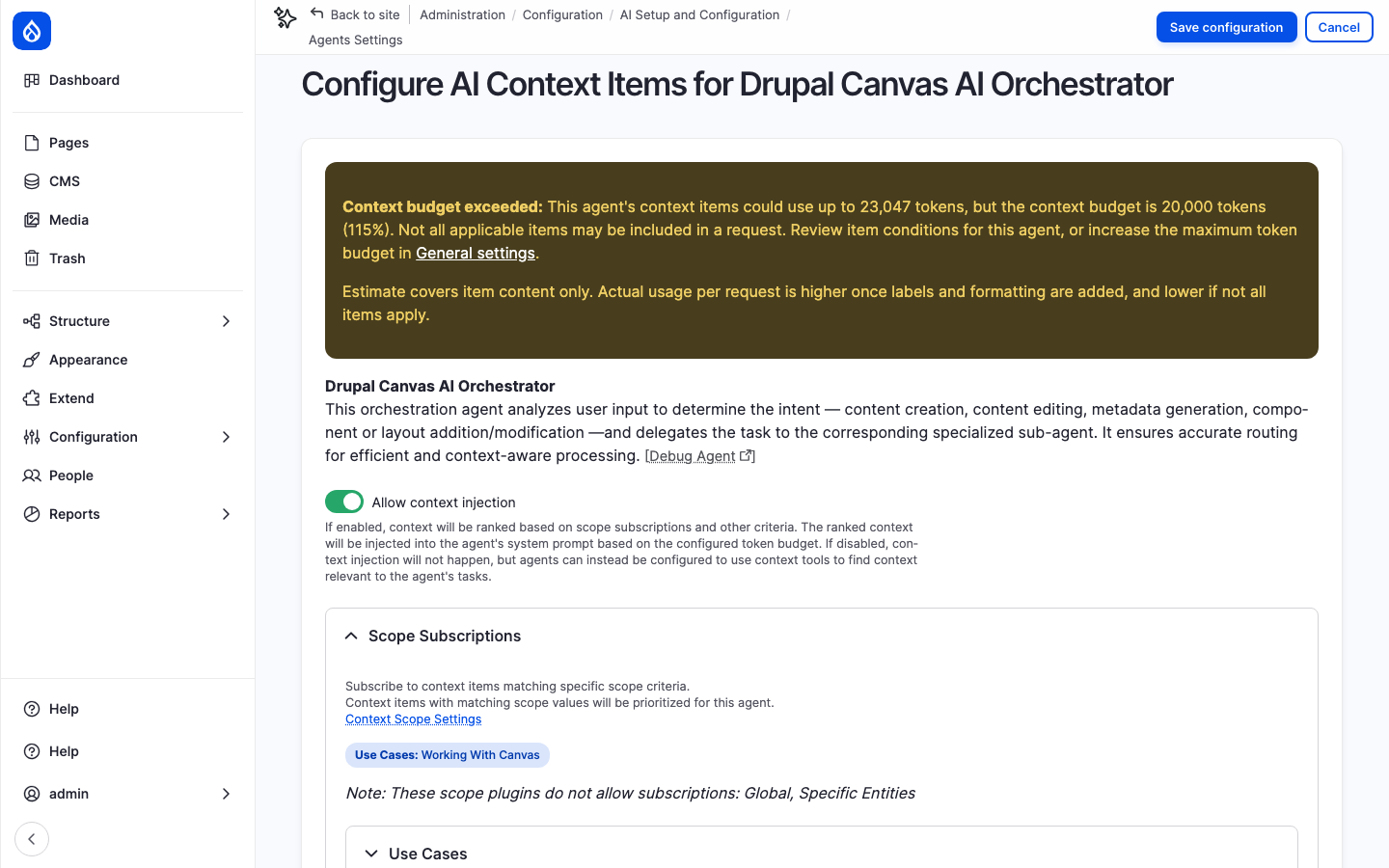
Each context item now stores an estimated token count. The context items listing shows colour-coded badges — grey, yellow or red — based on how large each item is relative to the configured token budget. Agent settings pages include a context budget summary showing whether subscribed context is within budget, over budget, or in a range when conditional child subcontext items are involved.
Scope names updated
Several scope names have been changed to be more accurate and easier to understand. “Entity Bundle” is now “Entity Types”, “Target Entity” is now “Specific Entities” and “Tags” is now “Context Tags” to distinguish it from the new Taxonomy scope.
Clearer scope help text
Forms now explain whether assigning a scope makes a context item eligible for selection, filters it out, or causes it to be selected automatically, rather than implying that matching a scope automatically guarantees context inclusion. A new Context Selection Guide includes clear examples.
Additional improvements
- Icons on scope plugins for easier identification
- Scheduler listed on the Extensions page for easier discovery
- Better accessible names for truncated content, overflow pills and icon-only indicators
Document importing
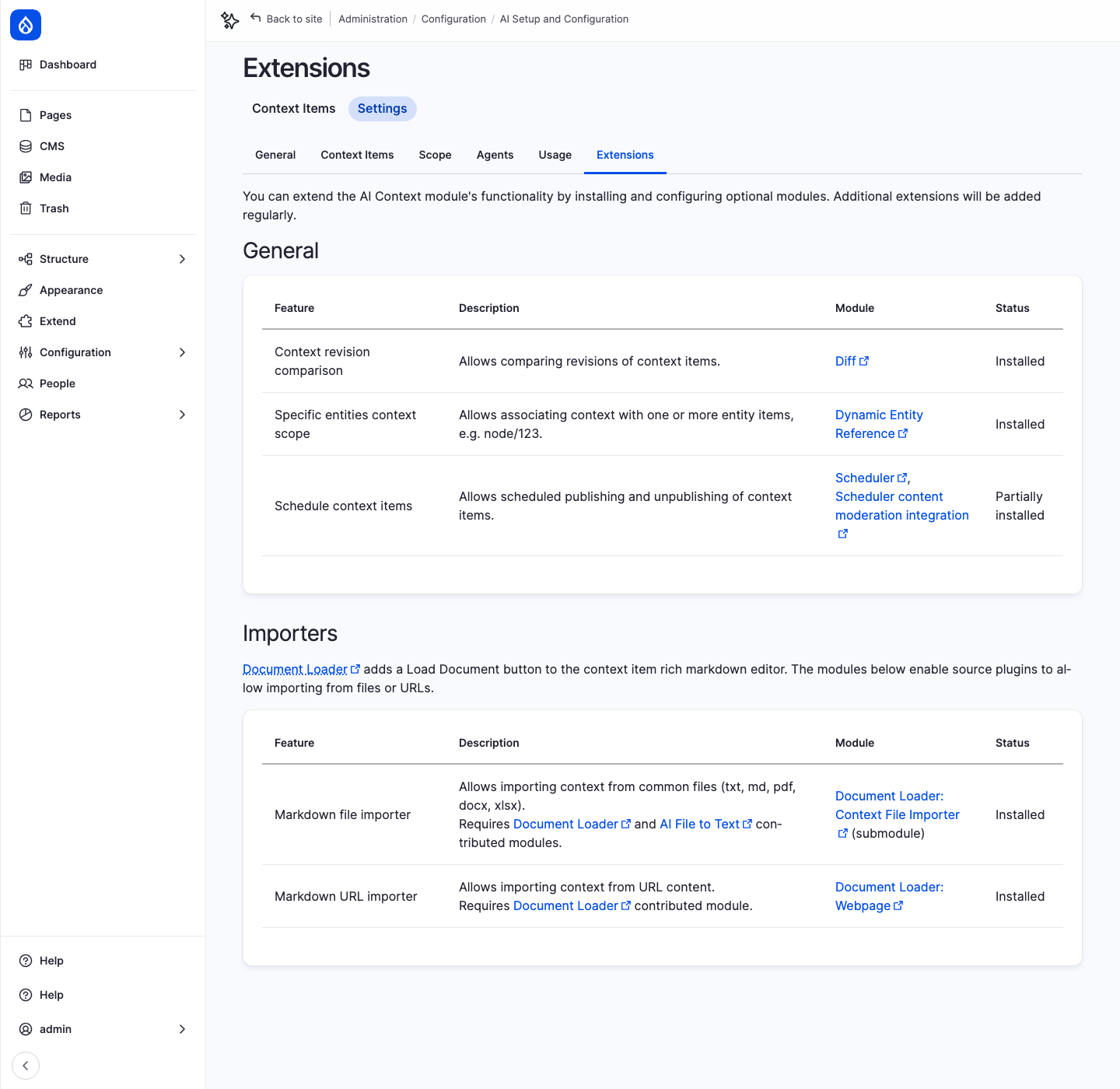
Beta 3 introduced an experimental “Document Loader: Context File Importer” submodule for importing an existing document into the context item’s content field through the WYSIWYG Markdown editor. Beta 4 promotes the submodule to stable, fulfilling the commitment made in the beta 3 release notes.
Teams can now import content from plain text, Markdown, PDFs, Word documents, spreadsheets and web pages into context items through Drupal media without treating the feature as experimental.
Documentation, developer experience and stability
A significant portion of beta 4 is dedicated to making CCC more understandable, better documented and more reliable, for both site builders and developers.
Selection behaviour documented
How context items are chosen and ordered is now documented in plain language. Site builders can find out which factors determine whether a context item is included or left out, and why settings like Global give priority without guaranteeing inclusion.
Purpose field guidance
Real-provider testing confirmed that the Purpose field on child context items is the main signal CCC sends to an AI provider when deciding which optional children to include. New documentation and form guidance helps authors write effective Purpose text and avoid common problems such as overlapping sibling descriptions.
Developer experience
A substantial sweep improved the codebase for developers building on CCC.
- Alter hooks are documented with stubs in api.php
- Public versus internal APIs are now more clearly documented, with a stable extension API for custom scope plugins
- Code quality improvements including naming consistency, constructor promotion and other standards cleanup
Stability and compatibility
Beta 4 also restores compatibility with Drupal 10 and PHP 8.1, which was broken in beta 3. The beta 3 release introduced hooks that Drupal 10 could not discover, causing upgrade failures and broken administration pages. This release repairs those issues and includes an automatic fix for context items left in a broken state by a failed beta 3 upgrade. Other fixes address settings pages that could fail to load, beta 2 upgrade failures, and overview page performance on sites with many items.
Upgrading to beta 4
Existing sites should run Drupal’s database updates after upgrading.
Beta 4 includes updates that:
- Move context items to the new dedicated editorial workflow
- Add the Priority field to existing items (Medium by default)
- Add the Taxonomy scope plugin
- Remove the old maximum-items setting
- Store estimated token counts on existing context items
- Repair context items left in a broken state by a failed Drupal 10/beta 3 upgrade
Drupal 10 sites that upgraded to beta 3 should treat this as a required update. Teams should test upgrades in a non-production environment, particularly when using Document Loader, custom integrations or configuration exported from an earlier beta. As we’re still in beta, it’s not recommended to use CCC in production.
Full technical details are available in the beta 4 release notes.
Help test Drupal AI Context
We’re looking for broader community testing and feedback as CCC moves towards its first release candidate.
Areas where testing is particularly valuable include:
- Upgrades from beta 2 and beta 3, especially on Drupal 10
- Taxonomy scope to match context to content based on taxonomy terms
- New Draft / Published / Archived workflow, including restoring archived items
- Priority ordering when several items are eligible
- Token badges and the context budget summary on agent settings
- Turning off automatic context injection for an agent
- Document imports now that the submodule is stable
- Updated scope names and help text, and whether they match what you observe
- Accessibility across administration pages
Issues and feedback can be submitted through the AI Context issue queue.
Thanks to the contributors
Beta 4 represents a substantial community effort, with more than 70 issues and contributions spanning development, testing, reviews, design, UX, accessibility, security, documentation and coordination.
Thank you to the many individual contributors and supporting organisations that helped deliver the release, and a special thanks to top 11 contributors*: Kristen Pol, Aidan Foster, Emma Horrell, Tamas Balog, Levente Besenyei, Ahmad Khalil, Daniel Rodriguez, Mike Anello, Abhishek Dhariwal, Joshua Fernandes and Juan Correa. * Due to a tie, the top 10 list became top 11!
The complete contributor list and the issue breakdown are available in the beta 4 release notes and the beta 4 milestone.
About AI Context
Drupal AI Context, also known as Context Control Center, is a Drupal module for providing governed, reusable context to AI-powered workflows and agents.
CCC allows organisations to centrally manage information such as brand voice, editorial standards, governance rules, product information and organisational knowledge so AI systems can produce more consistent, accurate and trustworthy outputs.
The project supports scoped context, subcontexts, moderation workflows, multilingual content, usage tracking, document imports and integrations with the broader Drupal AI ecosystem.